
Dell P2415Q 24 inch 4K IPS Monitor Tilt, Swivel, Pivot, Height Adjustable
End Of Life
Dell P2415Q 24 inch 4K IPS Monitor Tilt, Swivel, Pivot, Height Adjustable
Scan code: LN61791 Manufacturer code: P2415Q
End Of Life
End Of Life

Dell P2415Q 24 inch 4K IPS Monitor Tilt, Swivel, Pivot, Height Adjustable

24" Dell P2415Q 4K Ultra HD IPS Monitor, 3840x2160, 60Hz, DP-in/DP-out/MiniDP/HDMI (+MHL), 4x USB3, VESA

Scan code: LN61791 Manufacturer code: P2415Q
End of life
This product is no longer available to purchase.

Email me when the availability or price changes

  • SCANPROTECT Protect against installation damage for 28 days.
  • 3XS Approved Custom picked by our award winning 3XS Systems team.

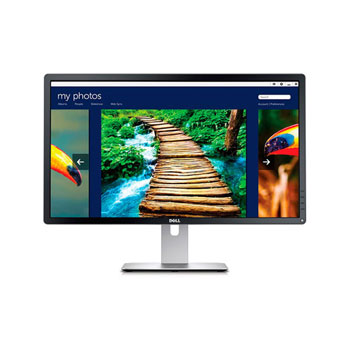
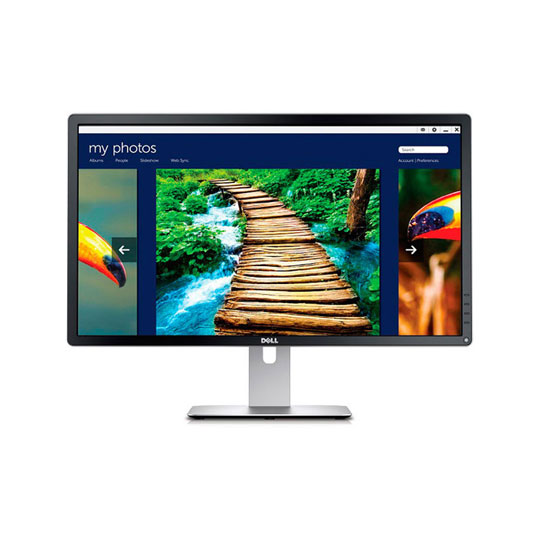
Dell Monitor - Ultra HD (4K) - 24" IPS LED Display - P2415Q

Experience Dell UHD (4K) Monitor Visuals


You can expect beautiful 4K clarity on a 24 inch, Ultra HD monitor with four times the resolution of Full HD, wide colour coverage and reliable performance. This exceptional 4K monitor also features seamless connections to other peripherals, allowing you to do so without compromising on picture quality. The cut-out in the stand creates a stylish way to hide your wires and guide them behind the UHD monitor.

4K UHD RESOLUTION

Wider, Bigger, Larger View all at Once


Ultra high definition 3840 x 2160 resolution (4K UHD) yields a superior pixel density of 157 PPI (pixels per inch) on the large 24-inch screen, for outstandingly detailed images. Never miss a shot again and always have the advantage by filling your peripheral vision with detail filled action.

ADVANCED COLOUR BIT-COUNT

See More with an Enhanced Colour Count


The 10-bit Deep Colour RGB display panel ensures substantially more natural transitions between hues for exceptional realism. A smooth blend between colours can be vital in modern games to create a truely immersive experience, helping to display the game's true colours, as well as revealing commonly used particle effects to their spectacular full potential.

WIDE-VIEW MONITOR

Unobstructed Visuals


Each hue remains consistent from virtually any viewpoint with an ultra-wide viewing angle at 178°/ 178°. Stream at any angle with near 100% accurance and allow spectators to enjoy your games as much as you.

SMART STYLISH MONITOR DESIGN

Easy Display Adjusting for Comfort


The included stand enables tilt (5° forward or 21° backward), pivot, swivel and even provides built-in cable-management. Customize your viewing experience with a height-adjustable stand, or save desktop space by detaching the stand for wall mounting with a VESA-compatible 100mm x 100mm wall mount kit.

(Wall mounting equipment sold separately.)

CONNECTIONS

Connecting you to Ultra HD Capabilities


1 x Audio Line-Out | 1 x DisplayPort In | 1 x DisplayPort v1.2 Loop-Out | 1 x HDMI with MHL | 1 x Mini DisplayPort | 1 x USB 3.0 In | 4 x USB 3.0 Out

Warranty

Please note your statutory rights are not affected.

For further information regarding Scan's warranty procedure please see our terms and conditions

Details
Duration:
36 months
Type:
Direct
DOA Period:
7 days
Manufacturer Contact Details
Manufacturer:
Dell
Telephone:
0800 028 2660
Buying Guide
Need help? Read our Monitors Buying Guide
HDR Monitors
HDR Monitors
Date Issued: 11th May 2020

PC monitor manufacturers tend to focus on a particular buzzword or acronym almost every year. In the past, we have been treated to HD (high definition), denoting the screen is capable of running a minimum 720p resolution.

Read More

Display Panel Types
Display Panel Types
Date Issued: 15th May 2015

Choosing a monitor is not an easy decision to make, and not just because of the large number of variations in resolution, refresh rates, sizes and connectivity options. There are also varying panel technologies used to form each display that need to be considered. These panel technologies can be grouped into three broad categories which cover the vast majority of monitors sold in the consumer market.

Read More

24" Dell P2415Q 4K Ultra HD IPS Monitor, 3840x2160, 60Hz, DP-in/DP-out/MiniDP/HDMI (+MHL), 4x USB3, VESA is rated 4.2 out of 5 by 29.
Rated 2 out of 5 by from Disappointing 16 x 9 format I bought this 4K 16 x 9 display to work alongside my 16 x 10 standard definition (1920 x 1200) monitor now 10 years old! Unfortunately the 16 x 9 format despite the 4k resolution is really not as good for Word / Powerpoint or Wordpress work compared to my original monitor. The 16 x 9 format may be great for games or videos but it's not so good for writing / coding IMO.
Date published: 2020-07-08
Rated 1 out of 5 by from BUGS 24" Dell P2415Q 4K 24" Dell P2415Q 4K Ultra HD IPS Monitor, 3840x2160, 60Hz, DP-in/DP-out/MiniDP/HDMI (+MHL), 4x USB3, VESA Resolution incompatible with Apache Open Office Apps. Blurred Text.
Date published: 2020-05-05
Rated 5 out of 5 by from Absolutely fantastic monitor I come from an Apple background with all the lovely retina displays. Moving across to Windows the Full HD monitors seemed so rough / blocky. Bring on Dell's 24" 4K display - almost as good as my Apple Retina display - a worthy addition to my Windows machine(s). This is actually my second one - I liked it so much I thought I would buy another for my Macbook Pro!
Date published: 2020-05-03
Rated 1 out of 5 by from Unbearable coil whine... Not sure what I can really say about this monitor. I've never had much luck with Dell products for some reason. I've gone through two Dell XPS 15s that essentially overheated in my back-pack and caused irreversible damage to itself. I thought I'd give this one a try though as it appeared to be decent value for money. Literally from the point of setting up and switching on there was a brain drilling high pitched noise emanating from the back. It turns out this is coil whine, and while it's usually classed as an acceptable side effect of LCD technology this one was RMA worthy. Maybe I got unlucky with the SKU... maybe the majority of them are like this, I don't know. What I do know though is that I'm done with Dell for the time being.
Date published: 2020-04-21
Rated 5 out of 5 by from A good monitor for the price. It is looking a little dated though. I wanted to get a 4k monitor to match with my XPS 15. I went with this because I liked the amount of I/O the monitor offered. I have it connected from a USB-C to Display Port because it offers the same refresh rate as my laptop screen, 4k 60Hz. Looking at the specifications I believe the HDMI port only does 4k 30Hz. If you go for this option you will need to factor in purchasing the USB C cable. I image quality is great. Everything I have had displayed on the screen has looked clear. Video and images look brilliant. The monitor sits on a very sturdy stand, which is height as well as tilt and angle adjustable. I chose the monitor as it also has a great I/O. HDMI as well as 2x Display port (So you can daisy chain 2 together), mini display port as well as a built in USB hub. One annoyance is only one of the ports is easy to access (On the back case of the monitor), where as the others you have to contort your hand and use a mirror (or phone) to see where you are plugging in. My advice is to plug stuff in you would not normally remove, leaving ports on your laptop/desktop free to plug stuff in. Do remember that the USB hub does use up one of your USB ports on the computer, the cable is included. As I mentioned in the summary is the monitor is looking dated. I think that this monitor is a few years old (at time of writing). Yes there are better looking monitors with thinner bezels, but they do not give as much I/O and cost a lot more money. If you can look past the dated look, I think the screen holds it own and would be a very good purchase. It has been for me.
Date published: 2020-04-06
Rated 4 out of 5 by from Dell not quite 100% Really good product with to me a major flaw by Dell, which meant I could not get ''up and running'' for more than a week. Without the problem I had I would have given a 5 star rating. At the same time as buying this monitor I purchased a Dell computer. The monitor cable kit contained a mDP cable and an HDMI cable. Unfortunately the computer has a DP port so the mDP cable is of no use to me. If Dell are going to use DP ports on some of their computers and mDP ports on others they should supply both types of cable with their monitors. Common sense really.
Date published: 2020-01-13
Rated 1 out of 5 by from Used Monitor Sold as New I was unable to register the monitor with DELL for their superb 3 year warranty because the monitor had been previously used and registered by another customer. My enjoyment and confidence in the monitor was diminished, so it was returned.
Date published: 2019-03-31
Rated 5 out of 5 by from Very crisp high pixel density display Wanted a great resolution 4k desktop - but in a 24 inch screen as used on a small desk at closish viewing distance.- this ticked all the boxes - very happy with it. Also had the advantage of providing a local audio out from the HDMI feed which solved an audio noise problem with the small form factor pc I am using.
Date published: 2019-03-18
  • y_2020, m_9, d_10, h_15
  • bvseo_bulk, prod_bvrr, vn_bulk_3.0.12
  • cp_1, bvpage1
  • co_hasreviews, tv_1, tr_28
  • loc_en_GB, sid_61791, prod, sort_[SortEntry(order=FEATURED, direction=DESCENDING), SortEntry(order=SUBMISSION_TIME, direction=DESCENDING)]
  • clientName_scan

Which Rev number do Scan have please?

I understand there were issues with the earlier REV A01 versions with monitors going blank/not waking that were fixed with later versions. I believe current Dell version is REV A04.
Asked by: LesC
I received a REV A06, manufactured date October 2017.
Answered by: eastcoast
Date published: 2018-10-22

Can I use this with a vesa mount?

I want to be able to mount this onto scans dual monitor stand
Asked by: ToxicChillz
Hello, This is VESA-compatible with 100mm x 100mm mounts. Regards,
Answered by: LizN
Date published: 2017-01-20
  • y_2020, m_9, d_10, h_15CST
  • bvseo_bulk, prod_bvqa, vn_bulk_3.0.12
  • cp_1, bvpage1
  • co_hasquestionsanswers, tq_2
  • loc_en_GB, sid_61791, prod, sort_[SortEntry(order=LOCALE, direction=DESCENDING), SortEntry(order=FEATURED, direction=DESCENDING), SortEntry(order=NUM_ANSWERS, direction=DESCENDING)]
  • clientName_scan
Dell P2415Q 24 inch 4K IPS Monitor Tilt, Swivel, Pivot, Height Adjustable