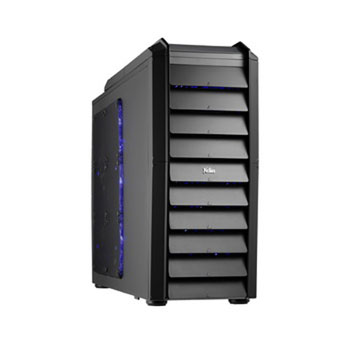
Xclio Touch 767 Mid Tower Case
Scan code: LN41807
Manufacturer code: Touch 767/2
End Of Life

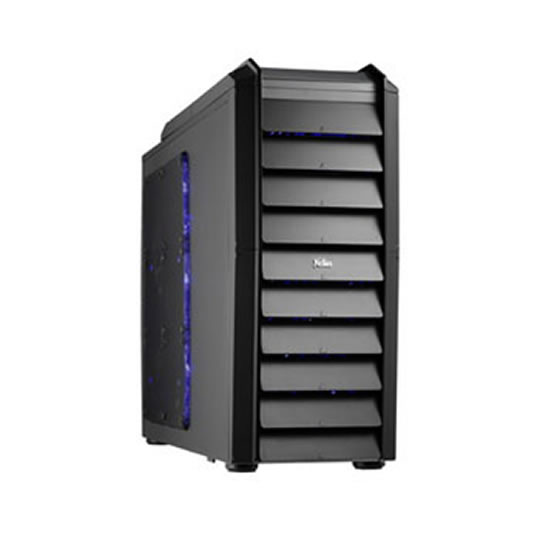


Xclio Touch 767 Mid Tower Case
Xclio Touch 767 Black Mid Tower Pro Case Touch Panel with Side Mesh Window 2x120 Silent Blade Fans USB 3.0 w/o PSU
Scan code:
LN41807
Manufacturer code:
Touch 767/2
This product is no longer available to purchase.
Email me when the availability or price changes
- SCANPROTECT Protect against installation damage for 28 days.
Product Overview
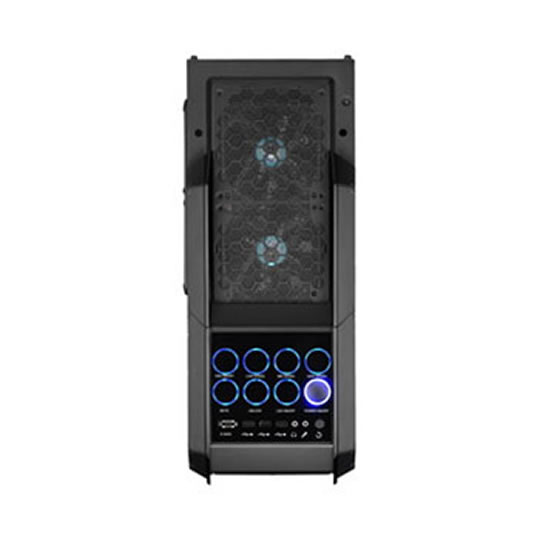
The touch control panel come with 8 buttons with special surrounding LED lighting, the touch button concept is same as touch panel mobile phone or devices, you can easily touch the button to control your case fans, the concept is cool and unique, perfect for gamers or professional end-users.
• Pro Class Super Tower Case Chassis
• Unique & Exclusive Design
• New Concept Touch Control Panel
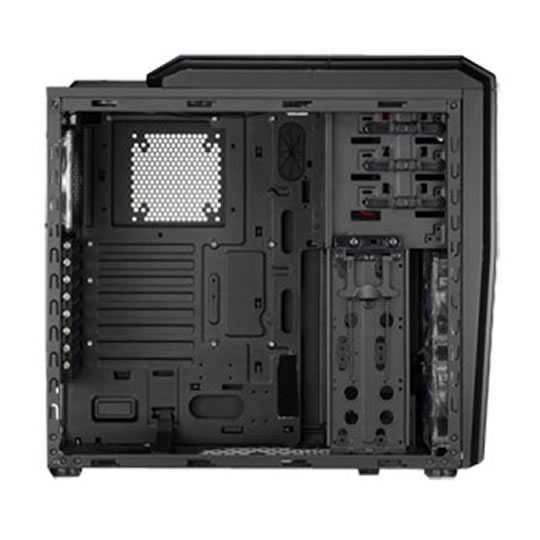
• Meshed Grill Side Panel (Support up to 6pcs Fans)
• Meshed Grill Top Panel (Support up to 2pcs Fans)
• Support USB 3.0 & E-SATA
• 2pcs 12cm Blue LED Fans Pre-Installed Features • Pro Class Super Tower Case Chassis
• Unique & Exclusive Design
• New Concept Touch Control Panel
• Meshed Grill Side Panel (Support up to 6pcs Fans)
• Meshed Grill Top Panel (Support up to 2pcs Fans)
• Support USB 3.0 & E-SATA
• 2pcs 12cm Blue LED Fans Pre-Installed
• Plastic Fan Guards Pre-Installed
• Support Long Graphic Card Up to 400mm
Touch control Panel Functions:
• Top from left to right
• Button 01: FAN ON/OFF > one touch can switch the case fan on of off.
• Button 04: LOW SPEED > one touch select the fan running at low speed.
• Button 03: MID SPEED > one touch select the fan running at mid speed.
• Button 03: HIGH SPEED > one touch select the fan running at high speed.
Bottom from left to right
• Button 01: MUTE > to mute the touch panel sound (the touch panel come with a tiny speaker will buzz when touch the button)
• Button 02: UNLOCK > one long touch can lock or unlock the touch button function.
• Button 03: LED ON/OFF > one touch can switch the case fan on of off.
• Button 04: POWER > mechanical power button (touch panel require power to operate).
• Pro Class Super Tower Case Chassis
• Unique & Exclusive Design
• New Concept Touch Control Panel
• Meshed Grill Side Panel (Support up to 6pcs Fans)
• Meshed Grill Top Panel (Support up to 2pcs Fans)
• Support USB 3.0 & E-SATA
• 2pcs 12cm Blue LED Fans Pre-Installed Features • Pro Class Super Tower Case Chassis
• Unique & Exclusive Design
• New Concept Touch Control Panel
• Meshed Grill Side Panel (Support up to 6pcs Fans)
• Meshed Grill Top Panel (Support up to 2pcs Fans)
• Support USB 3.0 & E-SATA
• 2pcs 12cm Blue LED Fans Pre-Installed
• Plastic Fan Guards Pre-Installed
• Support Long Graphic Card Up to 400mm
Touch control Panel Functions:
• Top from left to right
• Button 01: FAN ON/OFF > one touch can switch the case fan on of off.
• Button 04: LOW SPEED > one touch select the fan running at low speed.
• Button 03: MID SPEED > one touch select the fan running at mid speed.
• Button 03: HIGH SPEED > one touch select the fan running at high speed.
Bottom from left to right
• Button 01: MUTE > to mute the touch panel sound (the touch panel come with a tiny speaker will buzz when touch the button)
• Button 02: UNLOCK > one long touch can lock or unlock the touch button function.
• Button 03: LED ON/OFF > one touch can switch the case fan on of off.
• Button 04: POWER > mechanical power button (touch panel require power to operate).


