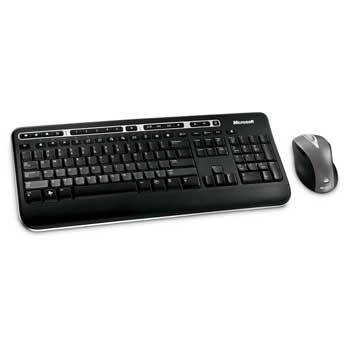
Microsoft Wireless Media Desktop 3000 USB Multimedia Keyboard & Laser Mouse 5000, Programmable, OEM
Scan code: LN25661
Manufacturer code: Z7A-00008
End Of Life

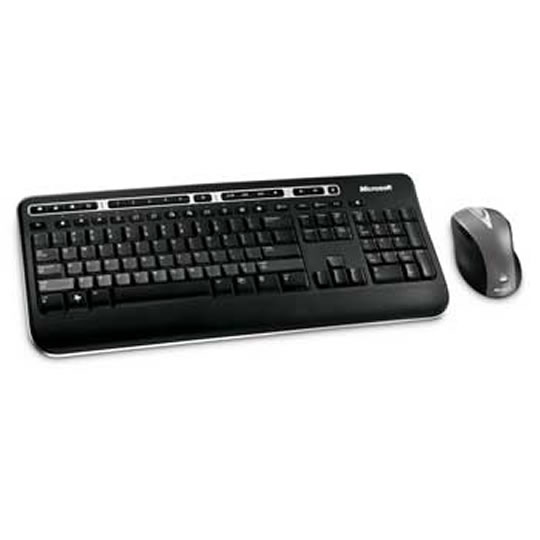

Microsoft Wireless Media Desktop 3000 USB Multimedia Keyboard & Laser Mouse 5000, Programmable, OEM
Scan code:
LN25661
Manufacturer code:
Z7A-00008
This product is no longer available to purchase.
Email me when the availability or price changes
- SCANPROTECT Protect against installation damage for 28 days.
Product Overview
Great for Windows Vista, Windows Flip 3D key allows you to cycle through a 3D overlay of all open windows by
pressing a key or the mouse scroll wheel. Digital Media Access allows for one-touch access to Windows Media
Player, e-mail, Home, calculator, My Documents, instant messaging, and photos. “My Favourites” Keys can be
customized to instantly bring up the photos, folders, files, and Web pages you use most. The High Definition
Laser Mouse is more responsive, more precise and has smoother tracking as well as an extended battery life. Features • Control your media activities with the touch of a button.
• Hot Keys: One-touch access to Windows Media Player, e-mail, Home, calculator, and instant messaging.
• Two-Way Scroll Wheel.
• Magnifier: Enlarge screen detail.
• High Definition Optical Technology.
• Enhanced F Keys: Perform common commands from your keyboard.
• Wireless: Less clutter on your desktop.
• Extended Battery Life.
pressing a key or the mouse scroll wheel. Digital Media Access allows for one-touch access to Windows Media
Player, e-mail, Home, calculator, My Documents, instant messaging, and photos. “My Favourites” Keys can be
customized to instantly bring up the photos, folders, files, and Web pages you use most. The High Definition
Laser Mouse is more responsive, more precise and has smoother tracking as well as an extended battery life. Features • Control your media activities with the touch of a button.
• Hot Keys: One-touch access to Windows Media Player, e-mail, Home, calculator, and instant messaging.
• Two-Way Scroll Wheel.
• Magnifier: Enlarge screen detail.
• High Definition Optical Technology.
• Enhanced F Keys: Perform common commands from your keyboard.
• Wireless: Less clutter on your desktop.
• Extended Battery Life.
