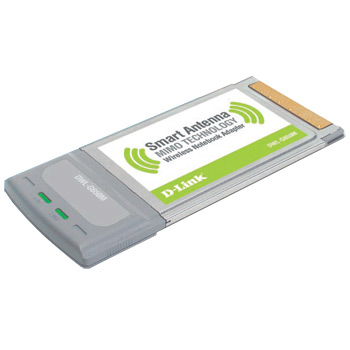
DLink DWL-G650M 108 Mbps SuperG MIMO Wireless PC-Card
Scan code: LN11302
Manufacturer code: DWL-G650M
End Of Life

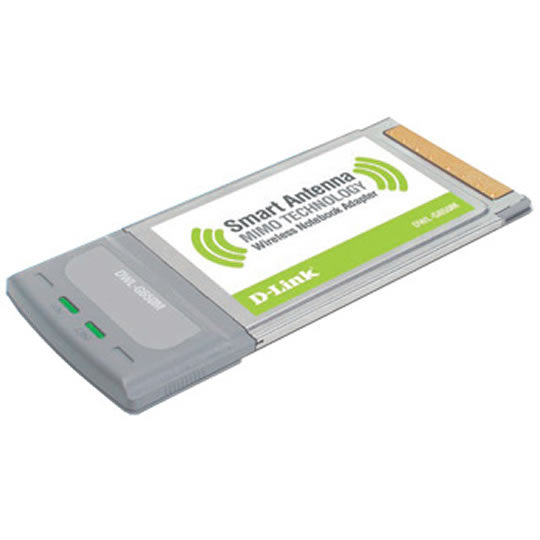

DLink DWL-G650M 108 Mbps SuperG MIMO Wireless PC-Card
Scan code:
LN11302
Manufacturer code:
DWL-G650M
This product is no longer available to purchase.
Email me when the availability or price changes
Product Overview
Connect to wireless networks at farther distances than before using D-Link’s new SuperG™ with MIMO line of products. By combining the latest in MIMO smart antenna technology and SuperG™ technology, this new Wireless Notebook Adapter offers dramatic performance improvements over standard 802.11b and 802.11g wireless devices. Based on proven technology, the DWL-G650M can access wireless networks and transfer data at higher rates and at farther distances than standard 802.11g. This Super G with MIMO adapter enables superior wireless connectivity for your notebook PC while remaining backward compatible to a virtually all 802.11g and 802.11b wireless networks and devices.
Based on proven technology, the DWL-G650M Super G with MIMO Wireless Notebook Adapter can access wireless networks and transfer data at higher rates and at farther distances than standard 802.11g. This Super G with MIMO adapter enables superior wireless connectivity for your notebook PC while remaining backward compatible to virtually all 802.11g and 802.11b wireless networks and devices.
Designed to enhance performance, D-Link’s Smart Antenna MIMO Technology provides increased wireless signal sensitivity to maintain strong network connections. Experience better reception and encounter fewer dead spots in your wireless coverage area. Add the D-Link Super G with MIMO Router to your network and experience the full benefits of wireless connectivity boasting up to 8x better range than standard 802.11g.
Features • Enhanced Wireless Coverage with Smart Antenna MIMO Technology
Based on proven technology, the DWL-G650M Super G with MIMO Wireless Notebook Adapter can access wireless networks and transfer data at higher rates and at farther distances than standard 802.11g. This Super G with MIMO adapter enables superior wireless connectivity for your notebook PC while remaining backward compatible to virtually all 802.11g and 802.11b wireless networks and devices.
Designed to enhance performance, D-Link’s Smart Antenna MIMO Technology provides increased wireless signal sensitivity to maintain strong network connections. Experience better reception and encounter fewer dead spots in your wireless coverage area. Add the D-Link Super G with MIMO Router to your network and experience the full benefits of wireless connectivity boasting up to 8x better range than standard 802.11g.
Features • Enhanced Wireless Coverage with Smart Antenna MIMO Technology


