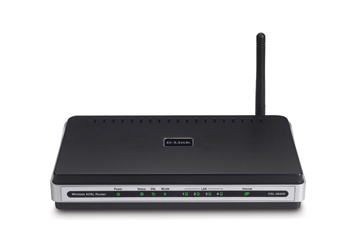
Dlink DSL-2640R/UK AD4SL2+ Wireless G 54Mbps (11g) Router with 4 Port 10/100 Switch (Annex A)
Scan code: LN22213
Manufacturer code: DSL-2640R/UK
End Of Life

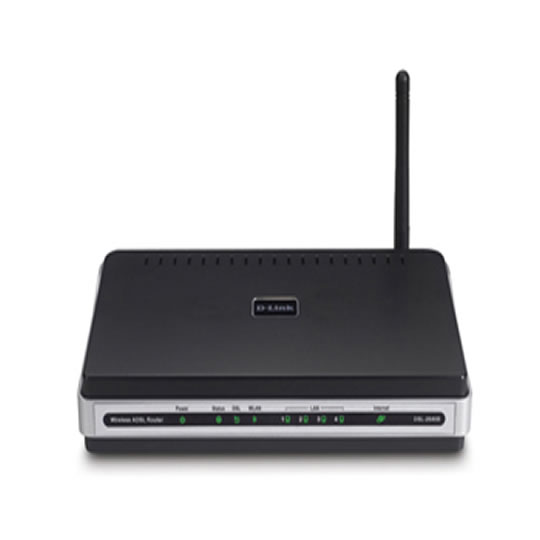

Dlink DSL-2640R/UK AD4SL2+ Wireless G 54Mbps (11g) Router with 4 Port 10/100 Switch (Annex A)
Dlink DSL-2640R/UK AD4SL2+ Wireless G 54Mbps (11g) Router with 4 Port 10/100 Switch (Annex A)
Scan code:
LN22213
Manufacturer code:
DSL-2640R/UK
This product is no longer available to purchase.
Email me when the availability or price changes
Product Overview
Ultimate Internet Connection
The DSL-2640B wireless ADSL router is an affordable high-performance solution for the home and small office. With intergrated ADSL2/2+ supporting up to 24Mbps download speed, 802.11g wireless LAN, firewall protection, Quality of Service (QoS) and 4-port switch, this router provides all the essentials that a home or small office needs to establish a secure and high-speed remote link to the outside world.
Affordable High-Speed Connection for Home & Small Office
The DSL-2640B provides not only the low-cost, high-speed Internet connection, but also the security and Quality of Service (QoS) required by users in todays high-risk and versatile Internet environments.
Features Ready Wired & Wireless LAN Connection
The DSL-2640B provides an integrated 802.11g WLAN interface supporting wireless speeds of up to 54Mbps and interoperability with 802.11b wireless devices on the 2.4GHz frequency band. These built-in functions save you the cost and trouble of installing a seperate wireless Access Point and an Ethernet switch.
Firewall Protection & QoS
Security features prevents unauthorized access to the home and office network from internet intruders. The router provides firewall security using Stateful Packet Inspection (SPI) and Denial of Service (DoS) attack prevention. SPI inspects the contents of all incoming packet headers before deciding what packets are allowed to pass through. Router access control is provided with packet filtering based on port and source/destination MAC/IP addresses. For Quality of Service (QoS), the router supports multiple priority queues to enable a group of home or office users to experience the benefit of a smooth network connection of inbound and outbound data without concern of traffic congestion. This QoS allows users to enjoy high ADSL transmission for bandwidth-hungry applications like VoIP, streaming multimedia and online gaming over the internet.
The DSL-2640B wireless ADSL router is an affordable high-performance solution for the home and small office. With intergrated ADSL2/2+ supporting up to 24Mbps download speed, 802.11g wireless LAN, firewall protection, Quality of Service (QoS) and 4-port switch, this router provides all the essentials that a home or small office needs to establish a secure and high-speed remote link to the outside world.
Affordable High-Speed Connection for Home & Small Office
The DSL-2640B provides not only the low-cost, high-speed Internet connection, but also the security and Quality of Service (QoS) required by users in todays high-risk and versatile Internet environments.
Features Ready Wired & Wireless LAN Connection
The DSL-2640B provides an integrated 802.11g WLAN interface supporting wireless speeds of up to 54Mbps and interoperability with 802.11b wireless devices on the 2.4GHz frequency band. These built-in functions save you the cost and trouble of installing a seperate wireless Access Point and an Ethernet switch.
Firewall Protection & QoS
Security features prevents unauthorized access to the home and office network from internet intruders. The router provides firewall security using Stateful Packet Inspection (SPI) and Denial of Service (DoS) attack prevention. SPI inspects the contents of all incoming packet headers before deciding what packets are allowed to pass through. Router access control is provided with packet filtering based on port and source/destination MAC/IP addresses. For Quality of Service (QoS), the router supports multiple priority queues to enable a group of home or office users to experience the benefit of a smooth network connection of inbound and outbound data without concern of traffic congestion. This QoS allows users to enjoy high ADSL transmission for bandwidth-hungry applications like VoIP, streaming multimedia and online gaming over the internet.


