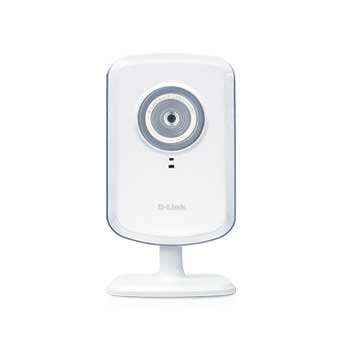
D-Link Wireless Network Camera DCS-930L with Audio Recording Wired/Wireless 300N mydlink Ready
Scan code: LN39493
Manufacturer code: DCS-930L/B
End Of Life

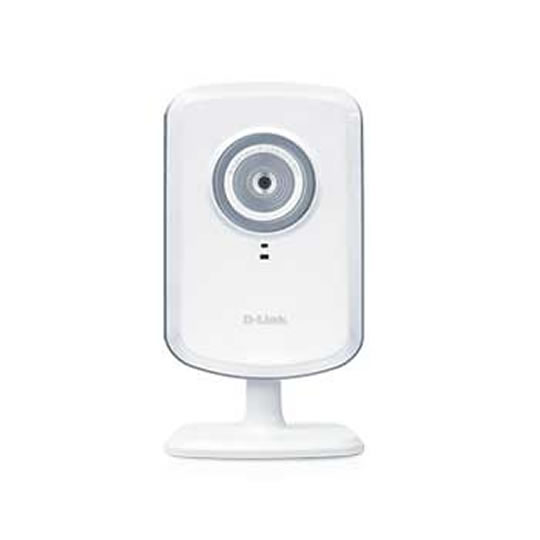

D-Link Wireless Network Camera DCS-930L with Audio Recording Wired/Wireless 300N mydlink Ready
D-Link DCS-930L Wireless N 300Mbps & Wired Home Network Camera 4x Digital Zoom With built in MIC PC/MAC White
Scan code:
LN39493
Manufacturer code:
DCS-930L/B
This product is no longer available to purchase.
Email me when the availability or price changes
Product Overview
Now iPhone/iPad/Android Ready - Watch your footage from your mobile phone & tablets as well as PC and MAC
The mydlink-enabled Wireless N Network Camera (DCS-930L) comes with everything you need to quickly add a surveillance camera to your home or small office network. It works right out of the box.
Simply connect the cables, plug in the camera, run the short installation wizard and setup is complete. To view what the camera is seeing, simply log on to mydlink.com, choose your device, and start viewing - there is no need to configure your router to open up ports or remember hard-to-memorize Internet addresses.
Features:
Easily view & manage your camera from mydlink.com
Sleek and compact design that fits in the smallest corners of your home
Wireless connectivity
Ready to use in 3 simple steps
Works with the mydlink iPhone, iPad and Android app for on the go viewing
mydlink products are created for people who long to embrace a world connected through the Internet, but are afraid they lack the technical expertise to do so. mydlink products remove the learning curve that is typically associated with today's high-tech devices because they are truly Plug-and-Play compatible with zero or extremely easy configuration. mydlink provides you easy and straightforward access to your digital life all from our intuitive, convenient website (www.mydlink.com). mydlink makes it easy to get the most from your digital lifestyle without the learning curve.
As a mydlink-enabled device, you can access the DCS-930L anytime, anywhere you have Internet access. Get peace of mind by keeping an eye on your kids, pets, home or office from almost anywhere by simply logging on to the mydlink website and selecting your camera. Since the DCS-930L comes with a built-in microphone, you can see and hear for yourself that everything is well at home.
Camera Management Software
For advanced users that want more out of their camera, the DCS-930L also comes with D-Link D-ViewCam™ management software for Windows PCs. D-ViewCam comes with a host of features including the ability to record directly from the camera to a local hard drive, trigger motion detection, set recording schedules, set e-mail alert notifications, and even support for up to 32 cameras. D-ViewCam also allows you to upload a floor plan of your home or small business and create a realistic layout of where your cameras are located, providing you with better access to your camera. For even greater recording flexibility, D-ViewCam can record video directly to a Network Attached Storage (NAS) device, eliminating the need for a dedicated computer to store video.
Network Camera Solutions
Stay connected to what matters most
Throughout your busy week, stay connected to everything that you love 24/7. View your home and keep an eye on your kids, your pets and your valued possessions from anywhere over the Internet and enjoy the peace of mind that comes from knowing everything is safe and secure. Whether you're out for an evening, at the office or away on vacation, mydlink-enabled cameras let you keep a close, constant eye on all that's important to you.
http://mydlink.dlink.com/DCS930L
Features • Easily View and Manage Your Camera from mydlink.com.
• Sleek and compact design that fits in the smallest corners of your home.
• Wireless Connectivity.
• Ready to Use in 3 Simple Steps.
• Works with the mydlink iPhone, iPad and Android app for on-the go viewing.
Viewing Requirements
Operating System: Microsoft Windows® 7/8, Windows Vista®, Windows® XP SP2, Mac OS X(v10.4)
Browser
Internet Explorer v6.0 or above, Firefox 3.5 or above, Safari 4, Chrome, Java
Network Protocol
IPV4, ARP, TCP, UDP, ICMP
DHCP Client
NTP Client (D-Link)
DNS Client
DDNS Client (Dynds and D-Link)
SMTP Client
FTP Client
HTTP Server
PPPoE
UPnP Port Forwarding
LLTD
Built-in Network Interface
10/100Base-TX Fast Ethernet
LLTD
Wireless Connectivity
802.11b/g/n Wireless with WEP/WPA/WPA2 security
Wireless Transmit Output Power
16dbm for 11b, 12dbm for 11g, 12dbm for 11n (typical)
SDRAM
32 MB
Flash Memory
4 MB
Reset Button
Reset to factory default
Video Codecs
MJPEG
JPEG for Still Images
Video Features
Adjustable image size and quality
Time stamp and text overlay
Flip and Mirror
Resolution
Up to 20 frames at 640x480
Up to 30 frames at 320x240
Up to 30 frames at 160x120
Lens
Focal length: 5.01 mm, F2.8
Sensor
VGA 1/5 inch CMOS Sensor
Minimum Illumination
1 Lux @ F2.8
View Angle
Horizontal: 45.3°
Vertical: 34.5°
Diagnol: 54.9°
Digital Zoom
Up to 4x
3A Control
AGC (Auto Gain Control)
Warranty
1-Year Limited2
Minimum System Requirements
Wired (10/100 Fast Ethernet Network)
PC with:
1.3 GHz Processor
128MB Memory
Windows® 7, Windows Vista, and Windows® XP SP2
Internet Explorer® v6 and later
Multiple Camera Operation Requires PC with:
2.4GHz Processor
512MB Memory
32MB Video Card
Windows® 7, Windows Vista® and Windows® XP SP2
Internet Explorer® v6 or later
Package Contents
Wireless N Network Camera
CAT5 Ethernet Cable
Power Adapter
Camera Base and Mounting Kit
Quick Installation Guide
CD-ROM3 with:
Software
Product Documentation
The mydlink-enabled Wireless N Network Camera (DCS-930L) comes with everything you need to quickly add a surveillance camera to your home or small office network. It works right out of the box.
Simply connect the cables, plug in the camera, run the short installation wizard and setup is complete. To view what the camera is seeing, simply log on to mydlink.com, choose your device, and start viewing - there is no need to configure your router to open up ports or remember hard-to-memorize Internet addresses.
Features:
Easily view & manage your camera from mydlink.com
Sleek and compact design that fits in the smallest corners of your home
Wireless connectivity
Ready to use in 3 simple steps
Works with the mydlink iPhone, iPad and Android app for on the go viewing
mydlink products are created for people who long to embrace a world connected through the Internet, but are afraid they lack the technical expertise to do so. mydlink products remove the learning curve that is typically associated with today's high-tech devices because they are truly Plug-and-Play compatible with zero or extremely easy configuration. mydlink provides you easy and straightforward access to your digital life all from our intuitive, convenient website (www.mydlink.com). mydlink makes it easy to get the most from your digital lifestyle without the learning curve.
As a mydlink-enabled device, you can access the DCS-930L anytime, anywhere you have Internet access. Get peace of mind by keeping an eye on your kids, pets, home or office from almost anywhere by simply logging on to the mydlink website and selecting your camera. Since the DCS-930L comes with a built-in microphone, you can see and hear for yourself that everything is well at home.
Camera Management Software
For advanced users that want more out of their camera, the DCS-930L also comes with D-Link D-ViewCam™ management software for Windows PCs. D-ViewCam comes with a host of features including the ability to record directly from the camera to a local hard drive, trigger motion detection, set recording schedules, set e-mail alert notifications, and even support for up to 32 cameras. D-ViewCam also allows you to upload a floor plan of your home or small business and create a realistic layout of where your cameras are located, providing you with better access to your camera. For even greater recording flexibility, D-ViewCam can record video directly to a Network Attached Storage (NAS) device, eliminating the need for a dedicated computer to store video.
Network Camera Solutions
Stay connected to what matters most
Throughout your busy week, stay connected to everything that you love 24/7. View your home and keep an eye on your kids, your pets and your valued possessions from anywhere over the Internet and enjoy the peace of mind that comes from knowing everything is safe and secure. Whether you're out for an evening, at the office or away on vacation, mydlink-enabled cameras let you keep a close, constant eye on all that's important to you.
http://mydlink.dlink.com/DCS930L
Features • Easily View and Manage Your Camera from mydlink.com.
• Sleek and compact design that fits in the smallest corners of your home.
• Wireless Connectivity.
• Ready to Use in 3 Simple Steps.
• Works with the mydlink iPhone, iPad and Android app for on-the go viewing.
Viewing Requirements
Operating System: Microsoft Windows® 7/8, Windows Vista®, Windows® XP SP2, Mac OS X(v10.4)
Browser
Internet Explorer v6.0 or above, Firefox 3.5 or above, Safari 4, Chrome, Java
Network Protocol
IPV4, ARP, TCP, UDP, ICMP
DHCP Client
NTP Client (D-Link)
DNS Client
DDNS Client (Dynds and D-Link)
SMTP Client
FTP Client
HTTP Server
PPPoE
UPnP Port Forwarding
LLTD
Built-in Network Interface
10/100Base-TX Fast Ethernet
LLTD
Wireless Connectivity
802.11b/g/n Wireless with WEP/WPA/WPA2 security
Wireless Transmit Output Power
16dbm for 11b, 12dbm for 11g, 12dbm for 11n (typical)
SDRAM
32 MB
Flash Memory
4 MB
Reset Button
Reset to factory default
Video Codecs
MJPEG
JPEG for Still Images
Video Features
Adjustable image size and quality
Time stamp and text overlay
Flip and Mirror
Resolution
Up to 20 frames at 640x480
Up to 30 frames at 320x240
Up to 30 frames at 160x120
Lens
Focal length: 5.01 mm, F2.8
Sensor
VGA 1/5 inch CMOS Sensor
Minimum Illumination
1 Lux @ F2.8
View Angle
Horizontal: 45.3°
Vertical: 34.5°
Diagnol: 54.9°
Digital Zoom
Up to 4x
3A Control
AGC (Auto Gain Control)
Warranty
1-Year Limited2
Minimum System Requirements
Wired (10/100 Fast Ethernet Network)
PC with:
1.3 GHz Processor
128MB Memory
Windows® 7, Windows Vista, and Windows® XP SP2
Internet Explorer® v6 and later
Multiple Camera Operation Requires PC with:
2.4GHz Processor
512MB Memory
32MB Video Card
Windows® 7, Windows Vista® and Windows® XP SP2
Internet Explorer® v6 or later
Package Contents
Wireless N Network Camera
CAT5 Ethernet Cable
Power Adapter
Camera Base and Mounting Kit
Quick Installation Guide
CD-ROM3 with:
Software
Product Documentation


