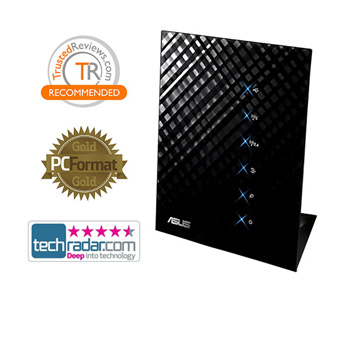
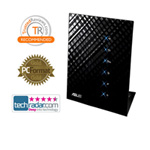
Gigabit Broadband Router ASUS Black Diamond RT-N56U
Scan code: LN38872
Manufacturer code: RT-N56U
End Of Life

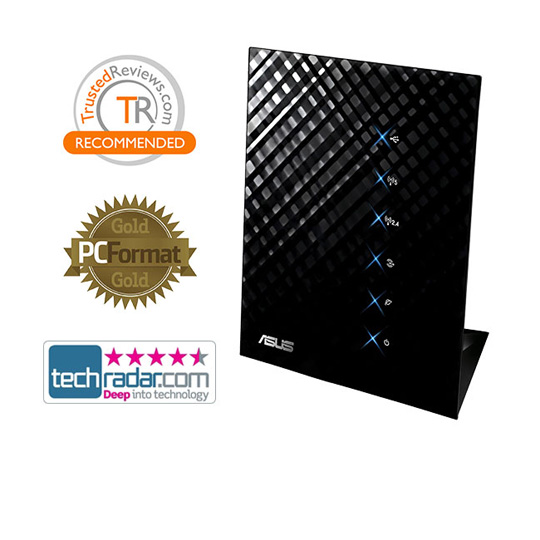
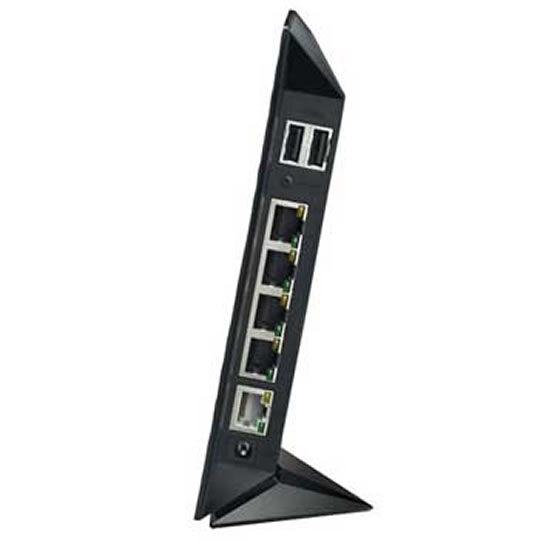
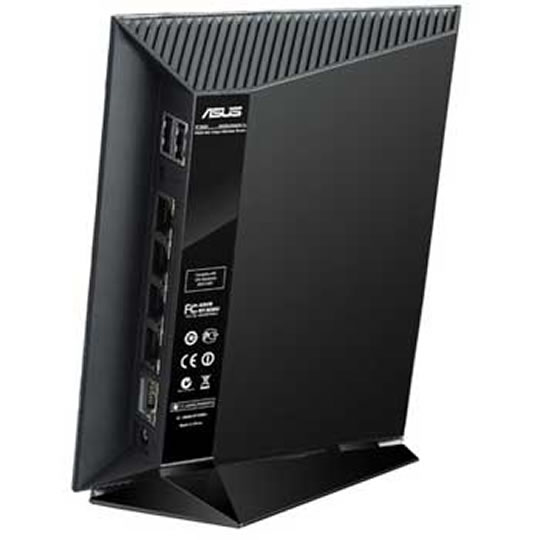


Gigabit Broadband Router ASUS Black Diamond RT-N56U
ASUS RT-N56U Black Diamond Dual Band Gigabit Broadband Router with Dual Band 300Mbps and 300,000 data sessions
Scan code:
LN38872
Manufacturer code:
RT-N56U
This product is no longer available to purchase.
Email me when the availability or price changes
- SCANPROTECT Protect against installation damage for 28 days.
- 48HR REPLACEMENT If you need to return this item, your replacement will be dispatched within 2 working days of your product arriving back at Scan.
Product Overview
The revolutionary new ASUS RT-N56U is the most advanced wireless router available, challenging tradition by dramatically exceeding all expectations. This stylish network enabler combines a series of cutting-edge and powerful technologies to offer you an ideal internet and wireless package, complete with striking design.
Dual-band for Lag-free Entertainment
Double your wireless performance and bandwidth with simultaneous 2.4GHz and 5GHz bands speed up to 300Mbps concurrently. While basic internet applications like browsing or file downloading can occur in 2.4GHz, wireless HD content streaming takes place in the 5GHz band at the same time, so both achieve optimized speeds and you enjoy smooth, buffer-free HD content streaming.
Gigabit Internet Surfing with Hardware NAT
Equipped with a capable hardware NAT acceleration engine and built-in Gigabit Ethernet, it gives you full Gigabit internet performance, making its WAN to LAN throughput up to 2-5 times that of traditional software-based NAT Gigabit routers.
Plug-n-surf and Hassle-free Management
ASUS EZ UI offers you an intuitive router setup without read manuals. What’s more, you can enjoy simultaneous printing and scanning by connecting an All-in-one printer to the router via the USB port. Also connect external hard disks to enjoy instant file sharing with family and friends!
Powerful Online Multitasking at up to 300,000 Data Sessions
Support for a massive data pipeline of up to 300,000 data sessions means the RT-N56U has around 20 times the networking capacity of other high session routers, so multiple data transfer jobs don’t slow down even during heavy load.
Ai Radar Optimized and Reliable Wireless Coverage
This unique and efficient design drastically increases wireless signal coverage and quality without increasing power consumption. It intelligently adapts beam patterns to local conditions to enable higher-gain directional signal emulation. Ai Radar shapes signals to offer the strongest possible output, transforming what may be a weak omnidirectional signal to a stronger unidirectional one, improving throughput at same time.
Multi-Function Twin USB Ports
With effortless connectivity to a range of devices and FTP, SAMBA, UPnP AV server and DLNA standard compatible all supported, sharing and networking become easier than ever. Plus, the RT-N56U can continue downloading FTTP, FTP and BitTorrent file to the USB disk all day even when your PC is turned off. Additionally, the twin USB ports allow the router to offer printer and file server functions, so you enjoy simultaneous wireless printing, scanning and file sharing via the comfort of standardized USB!
*Currently RT-N56U doesn't support 3G function Features LAN Ports
WAN x 1, LAN x 4 RJ-45 for 10/100/1000 Base T
Supports Ethernet and 802.3 with max bit rate 10/100/1000Mbps and auto cross-over function (MDI-X)
Antenna
2 x internal antenna for 2.4GHz application with 3.8dBi gain
3 x internal antenna for 5GHz application with 5.1dBi gain
USB port
USB2.0 x 2
Encryption
Supports 64/128-bit WEP
WPA-PSK, WPA2-PSK
WPA-Enterprise, WPA2-Enterprise
WPS (Wi-Fi Protected Setup)
Management
Quality of Service and traffic monitor
DHCP server (up to 253 IP addresses)
Web-based administration
Firmware upgrade
Save/restore configuration file
Network Protocol
Automatic IP, static IP, PPPoE (MPPE supported), PPTP, L2TP
Security
Firewall: NAT and SPI (Stateful Packet Inspection), intrusion detection including logging
Logging: dropped packet, security event, syslog
Filtering: port, IP packet, URL keyword, MAC addres
Dual-band for Lag-free Entertainment
Double your wireless performance and bandwidth with simultaneous 2.4GHz and 5GHz bands speed up to 300Mbps concurrently. While basic internet applications like browsing or file downloading can occur in 2.4GHz, wireless HD content streaming takes place in the 5GHz band at the same time, so both achieve optimized speeds and you enjoy smooth, buffer-free HD content streaming.
Gigabit Internet Surfing with Hardware NAT
Equipped with a capable hardware NAT acceleration engine and built-in Gigabit Ethernet, it gives you full Gigabit internet performance, making its WAN to LAN throughput up to 2-5 times that of traditional software-based NAT Gigabit routers.
Plug-n-surf and Hassle-free Management
ASUS EZ UI offers you an intuitive router setup without read manuals. What’s more, you can enjoy simultaneous printing and scanning by connecting an All-in-one printer to the router via the USB port. Also connect external hard disks to enjoy instant file sharing with family and friends!
Powerful Online Multitasking at up to 300,000 Data Sessions
Support for a massive data pipeline of up to 300,000 data sessions means the RT-N56U has around 20 times the networking capacity of other high session routers, so multiple data transfer jobs don’t slow down even during heavy load.
Ai Radar Optimized and Reliable Wireless Coverage
This unique and efficient design drastically increases wireless signal coverage and quality without increasing power consumption. It intelligently adapts beam patterns to local conditions to enable higher-gain directional signal emulation. Ai Radar shapes signals to offer the strongest possible output, transforming what may be a weak omnidirectional signal to a stronger unidirectional one, improving throughput at same time.
Multi-Function Twin USB Ports
With effortless connectivity to a range of devices and FTP, SAMBA, UPnP AV server and DLNA standard compatible all supported, sharing and networking become easier than ever. Plus, the RT-N56U can continue downloading FTTP, FTP and BitTorrent file to the USB disk all day even when your PC is turned off. Additionally, the twin USB ports allow the router to offer printer and file server functions, so you enjoy simultaneous wireless printing, scanning and file sharing via the comfort of standardized USB!
*Currently RT-N56U doesn't support 3G function Features LAN Ports
WAN x 1, LAN x 4 RJ-45 for 10/100/1000 Base T
Supports Ethernet and 802.3 with max bit rate 10/100/1000Mbps and auto cross-over function (MDI-X)
Antenna
2 x internal antenna for 2.4GHz application with 3.8dBi gain
3 x internal antenna for 5GHz application with 5.1dBi gain
USB port
USB2.0 x 2
Encryption
Supports 64/128-bit WEP
WPA-PSK, WPA2-PSK
WPA-Enterprise, WPA2-Enterprise
WPS (Wi-Fi Protected Setup)
Management
Quality of Service and traffic monitor
DHCP server (up to 253 IP addresses)
Web-based administration
Firmware upgrade
Save/restore configuration file
Network Protocol
Automatic IP, static IP, PPPoE (MPPE supported), PPTP, L2TP
Security
Firewall: NAT and SPI (Stateful Packet Inspection), intrusion detection including logging
Logging: dropped packet, security event, syslog
Filtering: port, IP packet, URL keyword, MAC addres


Gigabit Broadband Router ASUS Black Diamond RT-N56U
![Gigabit Broadband Router ASUS Black Diamond RT-N56U]()