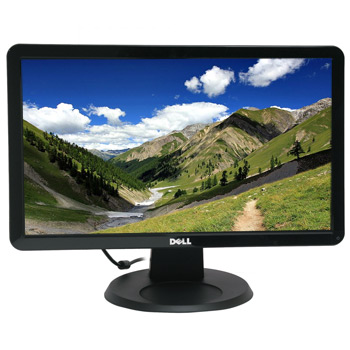
Dell 20" LCD Monitor IN2010N
Scan code: LN27456
Manufacturer code: IN2010N
End Of Life


Product Overview
Performance without High Costs
Now you can own a gorgeous widescreen monitor without paying a high price. 1600 x 900 resolution provides sharp details and saturated colours.
A contrast ratio of 1000:1 (typical) delivers vibrant blacks, bright whites and stunning colours.
2 lamp direct backlit system for as much as 25% energy savings compared to similar monitors using 4 lamps 1.
Moving Multimedia Experience
With the Dell IN2010N flat panel monitor you can: Experience seamless, fluid, fast-action video with a 5-millisecond response time (typical).
Enjoy high picture quality in bright environments with a brightness rating of 250cd/m2 (candelas per square meter).
A Beautiful Bezel
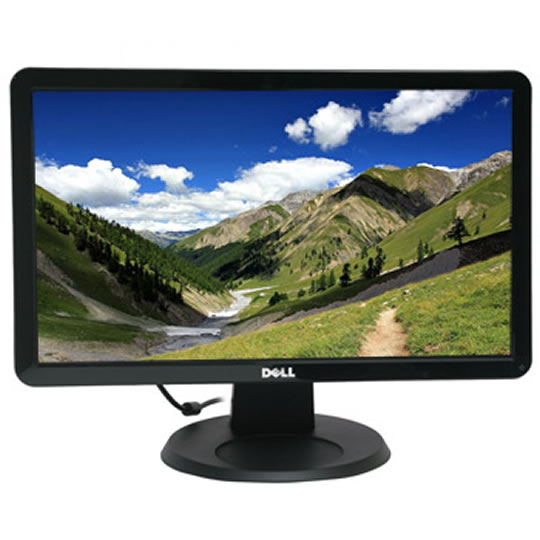
Featuring a sleek, black bezel, the IN2010N 20" Widescreen Flat Panel Monitor looks great paired with all of Dell’s newest laptop and desktop designs.
A tilt-adjustable panel lets you easily position the display to your most comfortable viewing angle Features DISPLAY INFORMATION
Panel Size: 20"
Aspect Ratio: Widescreen
Panel Type: TN - Twisted Nematic
Max Resolution: 1600 x 900 at 60 Hz
Contrast Ratio: 1000:1 standard contrast ratio (typical)
Brightness: 250 cd/m2 (typical)
Response Time: 5 ms (typical)
Viewing Angle: 160° (vertical), 160° (horizontal)
Colour Support: 16.7 million colours
Pixel Pitch: 0.2768mm
Display Type: Anti-glare with hard coating 3H
Device Type: Widescreen Flat Panel Monitor
CONNECTIVITY
Analog VGA also known as D-SUB connection.
STAND
Tilt adjustable
SECURITY
Kensington security port
COLOUR, SIZE AND WEIGHT
Dimensions (W x D x H):
344.0 mm x 453.7mm x 204.8mm (with stand)
13.54” x 17.86” x 8.06” (with stand)
Weight (Monitor and Stand Only)
4.1 Kg (9.04 Ib)
Weight (with packaging)
4.7 kg (10.36 lb)
Colour: Black
Now you can own a gorgeous widescreen monitor without paying a high price. 1600 x 900 resolution provides sharp details and saturated colours.
A contrast ratio of 1000:1 (typical) delivers vibrant blacks, bright whites and stunning colours.
2 lamp direct backlit system for as much as 25% energy savings compared to similar monitors using 4 lamps 1.
Moving Multimedia Experience
With the Dell IN2010N flat panel monitor you can: Experience seamless, fluid, fast-action video with a 5-millisecond response time (typical).
Enjoy high picture quality in bright environments with a brightness rating of 250cd/m2 (candelas per square meter).
A Beautiful Bezel
Featuring a sleek, black bezel, the IN2010N 20" Widescreen Flat Panel Monitor looks great paired with all of Dell’s newest laptop and desktop designs.
A tilt-adjustable panel lets you easily position the display to your most comfortable viewing angle Features DISPLAY INFORMATION
Panel Size: 20"
Aspect Ratio: Widescreen
Panel Type: TN - Twisted Nematic
Max Resolution: 1600 x 900 at 60 Hz
Contrast Ratio: 1000:1 standard contrast ratio (typical)
Brightness: 250 cd/m2 (typical)
Response Time: 5 ms (typical)
Viewing Angle: 160° (vertical), 160° (horizontal)
Colour Support: 16.7 million colours
Pixel Pitch: 0.2768mm
Display Type: Anti-glare with hard coating 3H
Device Type: Widescreen Flat Panel Monitor
CONNECTIVITY
Analog VGA also known as D-SUB connection.
STAND
Tilt adjustable
SECURITY
Kensington security port
COLOUR, SIZE AND WEIGHT
Dimensions (W x D x H):
344.0 mm x 453.7mm x 204.8mm (with stand)
13.54” x 17.86” x 8.06” (with stand)
Weight (Monitor and Stand Only)
4.1 Kg (9.04 Ib)
Weight (with packaging)
4.7 kg (10.36 lb)
Colour: Black


