Elgato Stream Deck XL 32 Key Customizable LCD Content Creation Controller
Images


Videos


Elgato Stream Deck XL, Fully Customisable Content Creation Controller, 32 LCD Keys, Twitch/OBS/XSplit/Youtube
Scan Code:LN98514
Manufacturer Code:10GAT9901
Customer Reviews and Q&A
Elgato Stream Deck XL
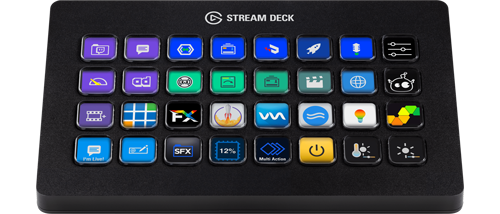
Expanded 32-Key Control SurfaceExperience taking live production control to a whole new level with the Stream Deck XL by Elgato. You can easily power through your workflow, and engage with your audience like never before. Boasting 32 customizable LCD keys prepared to launch unlimited actions with a tap. Instantly activate scenes, launch media, switch cameras, tweak lighting, adjust audio, post tweets, and more. Directly control your entire setup and get immediate visual feedback to confirm your every command. Stream Deck XL integrates seamlessly with your favourite tools and platforms, including OBS Studio, XSplit, Streamlabs, Twitch, YouTube, Mixer, OvrStream, VoiceMod, Vmix, and StreamElements. Spotify, Philips Hue, NVIDIA Share, VoiceMod – thanks to Stream Deck SDK, new integrations just keep coming. Stream Deck just keeps getting better.
Extra Large For Extra Control

creative powerStream Deck XL puts even more creative power at your fingertips. Meaning you get more studio-level control to optimize your content. More access to time-saving integrations. More scope to boost your production value. More of everything that keeps your stream fresh, and your audience hooked.
Sets The Benchmark Even Higher
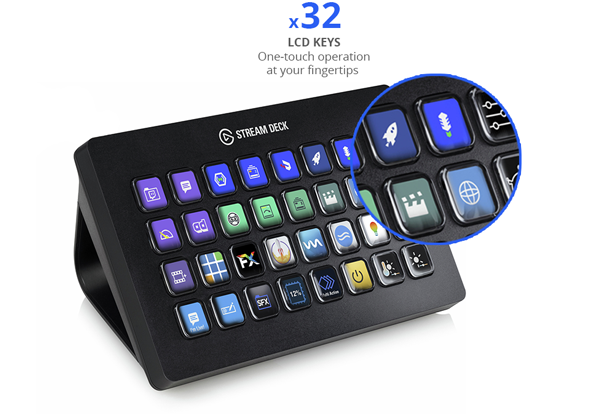
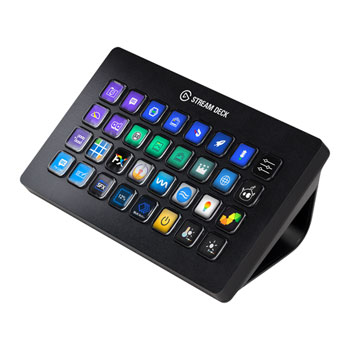
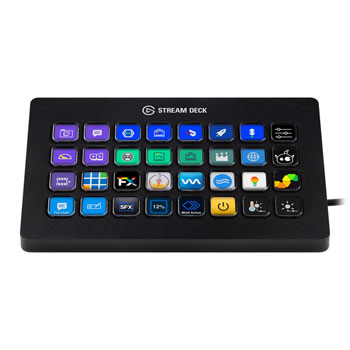
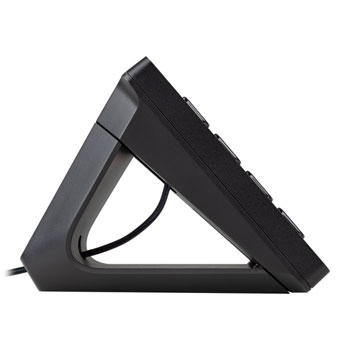
expanded 8x4 gridAn expanded 8x4 grid provides a grand total of 32 LCD keys, each sporting crisp resolution and fluid playback. Easily customize them all with static or dynamic icons. Enjoy one-touch tactile control like never before. Get instant visual feedback to confirm your every command. And tap with confidence thanks to a non-slip magnetic stand that holds solid at the perfect angle.
Your Streaming Centerpiece

supreme creative controlStart streaming. Adjust audio levels and mute your mic. Tweak lighting. Switch cameras. Apply lower thirds. Change scenes. Activate your intermission screen. Trigger onscreen videos, images, GIFs and soundbites. And wrap up with your signature outro. When it comes to advanced live production, Stream Deck XL gives you supreme creative control.
Works With Your Entire System


Customise Your SetupHotkey actions make keyboard shortcuts so last century. Now, you launch apps and websites, open folders, access pre-composed texts - even streamline your video editing, graphic design, or audio production workflow - without second guessing. Because you know exactly where your macros are, and they've never looked better.
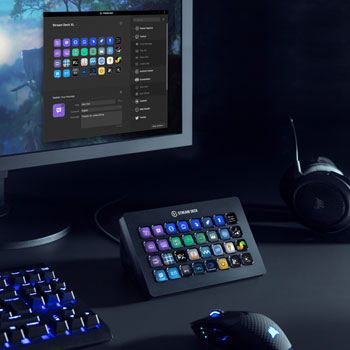
Simply drag actions onto keys and add icons. Need more actions? Turn keys into folders to store as many actions as you need. You can also save unique key layouts as profiles for instant access to task-specific actions. Even better, set Stream Deck to switch profiles automatically as you jump between apps.
Knows What You Need

Smart ProfilesOne moment you're live and the next, editing a clip, recording a promo, and marketing your channel. Create unlimited Smart Profiles with different key layouts for different tasks, and switch them up as you power through your workflow. Or set Stream Deck XL to automatically switch key layouts for you.
Trigger Chain Reactions

unlimited actionsWhy tap multiple keys – to start your intro scene, tweet that you’re live, and post a welcome message to your chat – when one will do it all? That’s right. Assign unlimited actions to a single key and launch them all with a tap. One by one separated by intervals. Or together, simultaneously.