ASUS PG32UCDMZ 31.5" UHD 240Hz G-Sync Compatible OLED Monitor
Images


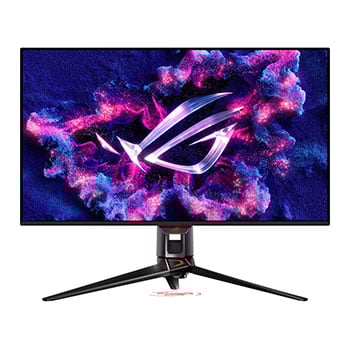
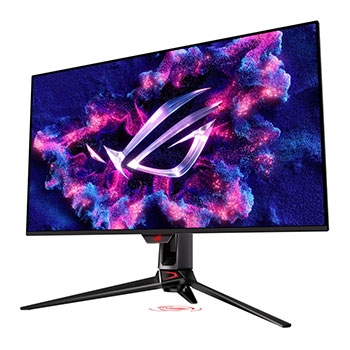
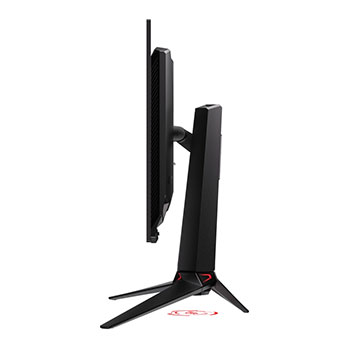
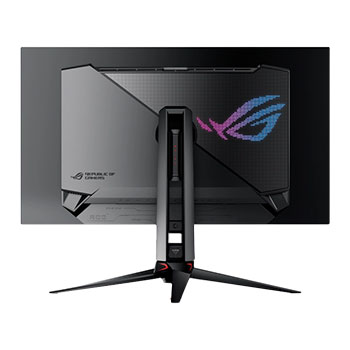
31.5" ASUS ROG Swift PG32UCDMZ 4K 240Hz G-Sync Compatible OLED Gaming Monitor, 3840x2160, 0.03ms, DP/HDMI/USB-C
Scan Code:LN164074
Manufacturer Code:PG32UCDMZ
Customer Reviews and Q&A
31.5" ROG Swift 4K OLED PG32UCDMZ from ASUS

The Chosen One The ROG Swift OLED PG32UCDMZ features a 31.5-inch 4K QD-OLED panel with a lightning-fast 240 Hz refresh rate. Its third-gen QD-OLED delivers vivid colours, deep blacks, and the brightest highlights, paired with a 0.03 ms response time for blur-free motion. An advanced custom heatsink enhances cooling to reduce burn-in and boost longevity. Built for enthusiasts, it offers a perfect blend of size, image quality, and speed for thrilling gaming.
31.5"Screen Size
3840x2160Resolution
QD-OLEDPanel Type
240Hz/0.03msRefresh/Response

Experience the Ultimate Game Changer

Detailed Visuals and Clearly Defined Text Latest-generation QD-OLED panels take advantage of a unique sub-pixel layout that provides clearer, more detailed visuals and crisper text to upgrade viewing experiences.

Next-Gen QD-OLED

Traditional QD-OLED
Advantages of QD-OLED technology
The PG32UCDMZ's QD-OLED panel boasts a 99% DCI-P3 wide colour gamut, delivering accurate colour reproduction for professional tasks. Its infinite contrast ratio ensures deep blacks and vibrant colours, creating immersive visuals for both gaming and creative endeavors. The incredibly low latency further enhances its appeal, providing smooth and responsive performance for demanding applications.

1,500,000 :1Contrast Ratio
0.03 msResponse Time
99%DCI-P3 Gamut
Delta E < 2Colour Difference
Your Monitor, Your Way
The PG32UCDMZ monitor is a versatile powerhouse designed to excel in gaming, streaming, and content creation. Its high refresh rate, low response time, and vivid colors deliver a seamless, immersive experience for gamers. The wide viewing angle and built-in tripod socket make it perfect for streaming, while its accurate colour reproduction, with a exceptional colour accuracy and wide colour gamut, ensures professional-grade content creation.

Gaming

Streaming

Content Creation
Choose the Size That's Best for You
Aspect Ratio OptionsIf you prefer playing on a smaller monitor, The PG32UCDMZ also supports a range of aspect ratios, allowing you to choose between 24.5” (esports mode) and 27” imagery.


ASUS DisplayWidget Center
Intuitive ASUS DisplayWidget Center software lets you easily change monitor settings and OLED-related functions with your mouse, without needing to access the OSD menu.
