Elgato Stream Deck 15 Key MK2 Customisable LCD Content Creation Controller
Images


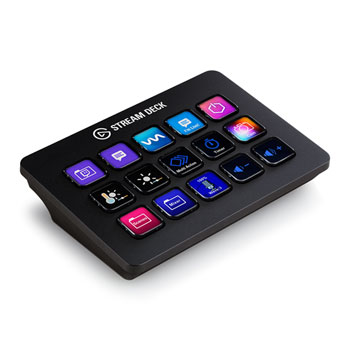
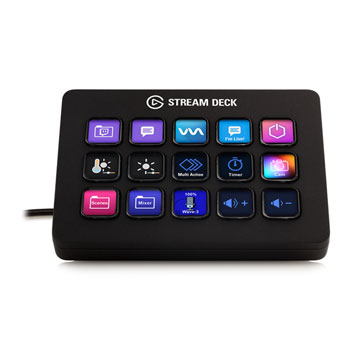
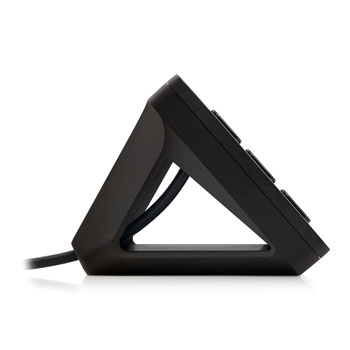
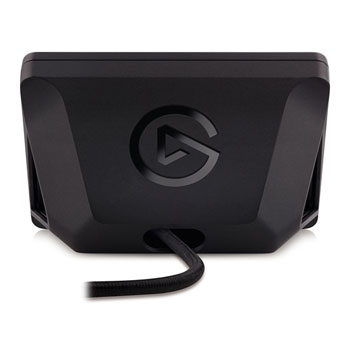
Elgato Stream Deck, Fully Customisable Content Creation Controller, 15 LCD Keys MK2, Multi-Software Support
Scan Code:LN118190
Manufacturer Code:10GBA9901
Customer Reviews and Q&A
Elgato Stream Deck
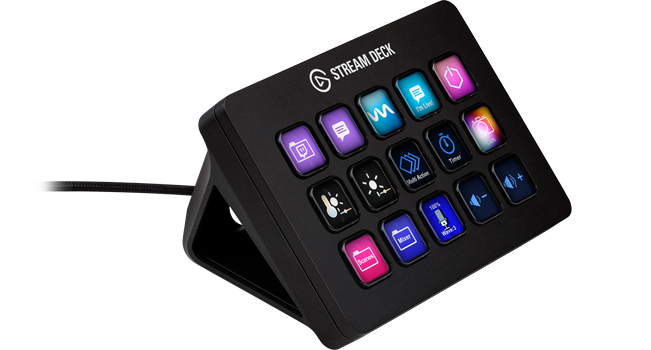
Evolve Your ContentStream Deck gives you 15 LCD keys to control your apps and tools. Trigger actions, launch social posts, adjust audio, play sound clips, activate lights, and much more. Get visual feedback to confirm your commands. Set Stream Deck to automatically switch key configurations as you jump between apps. It’s the ultimate workflow hack, and it’s fully customizable. Personalize your Stream Deck with custom icons, screensavers, and a growing range of interchangeable faceplates. Use the app to configure keys with ease, and hit the Stream Deck Store for app plugins, icon packs, thousands of royalty-free tracks, effects, and more.
Tactile Control Interface
The legend. The game-changer. The Stream Deck that started it all. With 15 keys, it’s been shaking up workflows and making magic happen since day one. Ready to experience the legacy?
BREEZY SETUPDrag, drop, and customize—no technical expertise needed.
Membrane KeysElgato's OG keys adored by millions for their unique feel. Count on every press to keep you in the flow.
Tactile and ResponsiveEvery press feels intuitive, giving you the confidence to cruise through workflows without second-guessing.
Make it yoursPersonalise your deck with interchangeable faceplates, icons, labels and wallpapers.
ESSENTIALS AT A GLANCEFrom personal data to professional metrics, check vital intel without breaking focus.
One keypressFrom simple tasks to complex workflows, Stream Deck simplifies it all.
Your Workflow, Your Way
With powerful plugins for tons of apps—and more added all the time—Stream Deck eliminates friction and keeps your focus where it matters most. That’s what makes it so versatile, and so hard to live without.
Stream Deck For ProductionKeep your content flowing smoothly with total control of your toolset.


StreamingTwitch, YouTube, TikTokKeep viewers immersed and engaged

PodcastingNews, Culture, ComedyManage audio and video on the fly

Video CreationYouTube, Corporate, Social MediaCommand your set like a studio pro

EVENTSBroadcasting, Esports, TheaterConnect and control entire systems
Stream Deck For GamingGain the edge in-game and out with complete mastery of your controls.


HOTKEYSKeybinds, Combos, NavigationExecute in-game actions with agility

CAPTURERecord, Buffer, ScreenshotsManage your recordings in real time

CLIPSReplays, Highlights, FailsCreate shareable moments on the fly

VOICE CHATInput, Volume, SFXFine-tune audio without interruption
Stream Deck For CreativeSummon your essential tools, from brushes to blades, in an instant.


VISUAL ARTSDesign, Illustration, AnimationLet your creativity flow uninterrupted

EDITINGVideo, Podcast, PhotographyBreeze through post-production

MUSICDJing, Live Performance, MIDI controlMix and master without missing a beat

CODINGWeb, Software, Game DevelopmentStreamline from first commit to final deploy
Stream Deck For CommunicationConnect virtually with colleagues and friends in powerful new ways.


CONFERENCINGMeetings, Webinars, Town HallsLook and feel professional on work calls

PRESENTATIONSSlides, Screen Sharing, RecordingsDeliver decks and demos that captivate

MESSAGINGChat, Email, DocumentsPerform text-based tasks on autopilot

AudioCalls, Voice Chat, SpacesBring confidence to any conversation
Stream Deck For ProductivityWork faster and regain focus with everyday controls at your fingertips.


SYSTEMNavigation, Windows, DevicesMake ordinary actions feel like magic

DISPLAYTime, Statuses, NotificationsKeep essential info clearly in view

MEDIAMusic, Videos, LivestreamsEnhance your playback experience

Smart HomeLighting, Climate, SecurityTake full command of your spaces
Stream Deck For CodingStay in the flow from terminal to test bench with every tool right where you need it.


AutomationScripts, Macros, API RequestsCut down clicks and context switches.

PROJECT MANAGEMENTChanges, Issues, Merge RequestsYour workspace right at your fingertips.

IDE ControlsVS Code, JetBrains, Visual StudioBuild faster and test smarter.

Toolchain IntegrationAzure, GitHub, UnityMatch your workflow to your stack.
Classic Keys

Membrane switchesLoved from the start for their unique look and feel, tried-and-true tech that has never lost its edge. Membrane switches deliver reliable performance with that signature press creators know and love. These keys are the origin of instant control. Proven. Trusted. Elgato.
• Premium membrane switches with classic keycaps
• A balance of comfort and reliability
• Backed by billions of keypresses
• First-gen keys still running since 2017
Customise Your Keys

Make Stream Deck yoursMeet the app that powers it all. It's where you'll discover actions, the little commands that make up every workflow. Plus a whole lot more like profiles, pages, and appearance settings. Everything you need to make Stream Deck yours, all in one easy-to-use interface.
ActionsMaster these five commands first
DRAG & DROPSimply move actions onto your canvas
PROFILESCreate custom layouts for each of your apps
FOLDERSOrganize and group for easy access
PAGESStore additional actions in easy reach
APPEARANCEStyle your Stream Deck with digital assets
Unlock The Incredible

Choose OriginalCounterfeit products are not compatible with Stream Deck plugins. Only genuine Stream Deck devices meet Elgato’s high standards, delivering the performance and reliability trusted by creators and professionals worldwide. If it’s not Elgato, it’s not Stream Deck.

A biomassive breakthroughStream Deck Scissor Keys is the first Elgato product made of 95% biomass plastic, a major milestone on our path to sustainability. This eco-friendly alternative to conventional plastic lowers carbon emissions and waste, offering the same durability while contributing to a sustainable future in tech.