Our Aim
To provide you with an overview on New And existing technologies, hopefully helping you understand the changes in the technology. Together with the overviews we hope to bring topical issues to light from a series of independent reviewers saving you the time And hassle of fact finding over the web.
We will over time provide you with quality content which you can browse and subscribe to at your leisure.
TekSpek 's

GPU
Date issued:
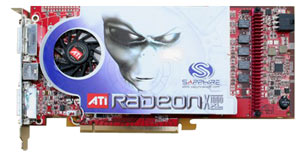
Explaining how a modern GPU works in completeness would take a book. Or two. Per class of chip. Per vendor. They're extraordinarily complex pieces of engineering and production, and the end result contains more transistors than multiple modern x86 processors. The cost for research and development of just one modern graphics product generation, before production even begins, is closing in on the half billion dollar mark.
So the task of explaining how such a thing works, in the confines of a TekSpek article, should be an impossibility, right? Awesomely for us, wrong! While to cover absolutely everything would take a fat tome, covering the basics is easily done if you're willing to learn, and it's something the layman should have no problem understanding. Allow us to have a go.
Shader Programs
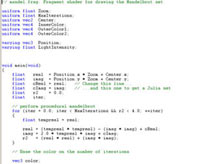
Before we begin, we need to explain the concept of shader programs and texturing. Shader programs are what define a modern graphics processor as it's used by developers. A shader program is a set of instructions, as in any other programming language, that operate on vertices or pixels, that modify or change the attributes of the vertex or pixel they're working on, to change it's position or appearance.
That task of 'shading', using a set of math or texture instructions, is common to both vertex and pixel (although the actual instructions may differ), and it's the reason the modern GPU is designed the way it is. The programmability is the key to allowing developers to use the GPU for ever more advanced, complex and realistic effects, more easily.
The advancement of the GPU is designed to add in more programmable functionality, while simultaneously endeavouring to make it easier to exploit the new and existing abilities. So keep the concept of shading an object in mind, where it's changed by a set of program instructions that are run, defined by the developer.
Texturing
Texturing in older 3D hardware meant the process of texture mapping, or applying an image to sections of geometry according to perspective. Texturing in a modern 3D GPU means the process of sampling a texture, whether it contains an actual picture image or other data, and using that as input into a shader program for further processing. The sampling and use inside the shader program might well be to perform perspective correct texture mapping, but more often than not an actual image to be sampled is in the minority.
Instead, the majority of textures sampled will contain data other than a coloured image. Textures are bound to samplers in the shader program and the shader program can arbitrarily sample from anywhere in the texture, with the GPU filtering the data if needed.
Most GPUs have a single-cycle bilinear filter available for texture sampling, where four points surrounding where you want to sample from in the texture are sampled instead, and the samples are then averaged and returned as the result. Trilinear filtering is the combination of two bilinear filter operations (two cycles in modern hardware), and anisotropic filtering starts at a minimum of sixteen samples and a similar number of cycles to perform and complete.
It all starts with geometry
To explain how a modern GPU works, we start with geometry. A 3D application uses the CPU in your system to generate geometry to sent to the GPU for processing, as a collection of vertices. Geometry can be pre-generated and read from disk, or generated on the fly by the program code. A vertex consists of attributes that define its position in 3D space (relatively, usually), along with anything else the developer wants to define such as a colour for the vertex or some other relevant piece of information.
The CPU, interfacing with the driver for the GPU, sends the collection of vertices to the GPU to start the rendering process, using the vertex shader units. When the vertex lists are present on the hardware inside the GPU's accessible memory, the GPU can either process them as-is without changing them in any way, or vertex shading can happen using the processes of shading and texturing outlined earlier. The vertex shader program will process and alter the attributes of the vertex, on a vertex-by-vertex basis, before they're passed to the next step in the rendering process, by the vertex processing hardware.
Rasterisation into pixels

The process of rasterisation takes the geometry processed by the vertex hardware and converts it into screen pixels to be processed by the pixel shader (or more accurately pixel fragment) hardware. The GPU basically walks the big list of geometry, per frame, analysis it per vertex, then outputs a pixel fragment for the pixel units to work on. The fragment designation comes from the fact that depending on how the geometry is to appear on screen, parts of the triangle primitives displayed can lie inside a pixel on your screen, but not totally cover it. Two triangles (or more) can be rendered inside of one pixel, so since the actual output from rasterisation is part of a pixel, the data is actually a pixel fragment.
So rasterisation is simply the conversion of geometry into screen pixel fragments, generated by walking over the geometry lists and analysing them to see where they lie on the screen. It's a mostly fixed-function, high speed process, and it's very rare to be bound by the performance of that rasteriser hardware.
Pixel processing
Pixel processing is almost identical to the steps of vertex processing, just the processing hardware works on pixel fragments instead. Pixel shader programs are run, fragment-by-fragment, to alter the fragment attributes before they're displayed on the screen. The pixel shader program exists to alter the colour of the pixel fragment in some way, based on the instructions in the shader program which may or may not be texturing, to have it combine in the end with the colour of all the fragments on screen to generate your image.
Pixel shading is usually the most compute-intensive part of the graphics rendering process on a modern GPU and so usually takes the most time, and is the place in rendering where you're most likely to be bottlenecked.
Rendering pixels to the screen
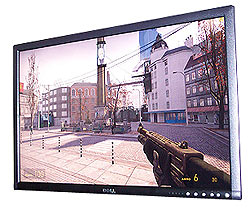
Processed pixel fragments are stored in card memory ready to be resolved into completed screen pixels, for output onto your display. This task is handled by a GPU unit called the ROP. A modern GPU implements a number of ROPs, based on how likely the GPU is to be bottlenecked by pixel output, to perform the final tasks of rendering. As well as simply resolving and drawing pixels on your screen, the ROP hardware also performs a number of optimisations to save memory bandwith when reading and writing pixels to and from a framebuffer, such as colour compression (even saving 1 byte of colour data per pixel is a heady saving in bandwidth terms).
The ROP units also deal with depth compression and compare, the compare - where you test pixels against each other to see which is on top of the other - being the main facilitator for multisample antialiasing. Multisample antialiasing uses depth information (Z) to alter the colour of pixels so that geometry rasterised earlier in the render process is antialiased and looks better.
Antialiasing
Antialiasing works by effectively filtering a high frequency signal. Got a stepped black line of geometry against a white background (the black and white colour data being the high frequency signal)? Filtering the signal will result in greys along the stepped edge, providing a better representation of the data. That's really all there is to multisample antialiasing. Use the depth of the pixel to filter the colour data where geometry is.
Final output by the GPU
After pixel resolve, antialiasing and optimisation of memory bandwidth using Z and colour compression, the completely rendered output is pushed to your monitor via the GPU hardware. If it's a digital display being rendered to, the framebuffer data is converted into a binary respresentation and squirted at high speed to the digital monitor. If it's an analogue display, the colour data of the pixels is converted to an analogue signal across the scanlines by a DAC. Repeat for as many frames as you want to draw.
And that set of steps, from geometry generation and shading, through rasterisation and pixel processing, and finally drawing the fully rendered output, is the render process of a modern GPU. Broken down into those four component steps it's easy to understand how a modern immediate mode 3D processor works, without going into the details of caches, buffers, memory access, shader models, texture filtering (although we touched on that) and other implementation details that are specific to chip variations.
Just remember this
Processed vertices get turned into pixels, then they're processed and drawn on your screen. Repeat. The rest will come back to you pretty quickly if you grasp those steps.