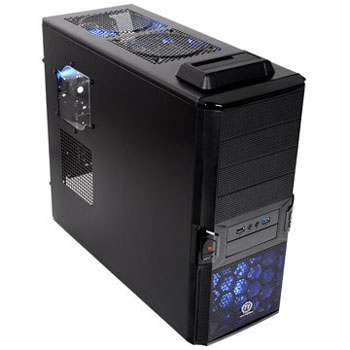
ThermalTake V3 BlacX Mid Tower Case
Scan code: LN43142
Manufacturer code: 4716872053346
End Of Life

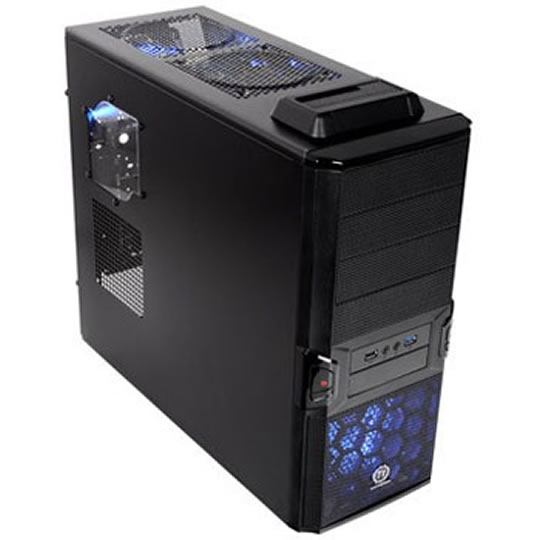
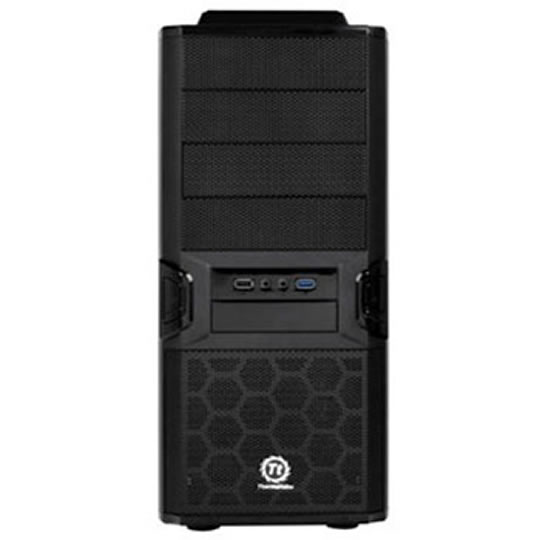
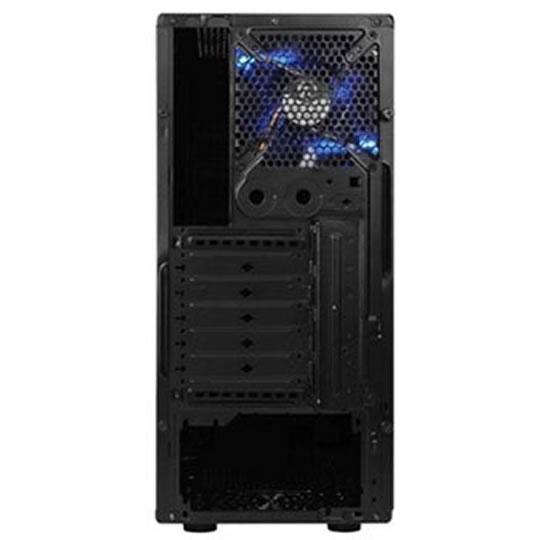


ThermalTake V3 BlacX Mid Tower Case
ThermalTake V3 BlacX Mid Tower Case with Top-mounted SATA HDD Docking Station and USB 3.0 w/o PSU
Scan code:
LN43142
Manufacturer code:
4716872053346
This product is no longer available to purchase.
Email me when the availability or price changes
- 48HR REPLACEMENT If you need to return this item, your replacement will be dispatched within 2 working days of your product arriving back at Scan.
Product Overview
The ThermalTake V3 BlacX Edition is feature rich for a cost effective price, from its HDD dock in the roof of the Case to the front access USB2.0 x 1, MIC & Speaker (support AC'97 & HD Audio) even USB 3.0 via pass through Cable to the Rear ports of your USB 3.0 Compatible motherboard topped off with a Windowed Side Panel and standard HDD and Optical Drive Bays gives you one of the best value cases to suit most people's needs
• Top-mounted HDD Docking Station enables blazing fast file transfer and effortless hot-swap capability
• Bottom-placed PSU design for easy installation
• Metal mesh front bezel for maximum air intake
• Built-in filter in 5.25” drive bay and PSU to keep dust away
• USB 3.0 SuperSpeed
CPU Air Cooling System
120mm x 1 (Optional) Top (exhaust) : 120 x 120 x 25 mm fan
120mm x 1 (Fitted) Rear (exhaust) : 120 x 120 x 25 mm Blue LED Fan
HDD Air Cooling System
120mm x 1 (Optional) Front (intake) : 120 x 120 x 25 mm fan
VGA Air Cooling System
120mm x 1 (Optional) Bottom (intake): 120 x 120 x 25 mm fan
Features
Side Panel
Transparent Window
Net Weight 4.8 kg / 10.6 lb
Dimension D473.0 x W190.0 x H445.6 mm (18.6 x 7.5 x 17.5 inch)
Cooling System
Front (Intake) : 120 x 120 x 25 mm (optional)
Rear (Exhaust) : 120 x 120 x 25 mm Blue LED fan, 1000rpm, 16dBA
Top (Exhaust) : 120 x 120 x 25 mm (optional)
Bottom (Intake) : 120 x 120 x 25 mm (optional)
Drive Bays
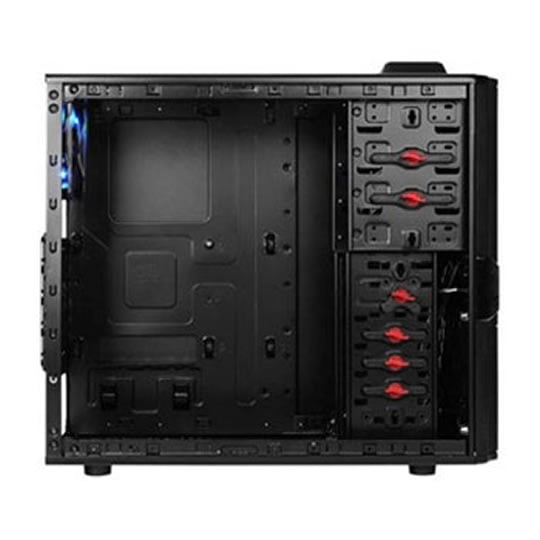
- Accessible: 3 x 5.25’’, 1 x 3.5’’
- Hidden: 4 x 3.5’’, 1 x 2.5”
- HDD Docking: 1 x 3.5” or 1 x 2.5”
Material
SECC
Expansion Slots
7
Compatiable Motherboards
Micro ATX , Standard ATX
I/O Ports
USB3.0 x 1, USB2.0 x 1, MIC & Speaker (support AC’97 & HD Audio)
Other
CPU cooler height limitation: 160mm
VGA length limitation: 263mm
• Top-mounted HDD Docking Station enables blazing fast file transfer and effortless hot-swap capability
• Bottom-placed PSU design for easy installation
• Metal mesh front bezel for maximum air intake
• Built-in filter in 5.25” drive bay and PSU to keep dust away
• USB 3.0 SuperSpeed
CPU Air Cooling System
120mm x 1 (Optional) Top (exhaust) : 120 x 120 x 25 mm fan
120mm x 1 (Fitted) Rear (exhaust) : 120 x 120 x 25 mm Blue LED Fan
HDD Air Cooling System
120mm x 1 (Optional) Front (intake) : 120 x 120 x 25 mm fan
VGA Air Cooling System
120mm x 1 (Optional) Bottom (intake): 120 x 120 x 25 mm fan
Features
Side Panel
Transparent Window
Net Weight 4.8 kg / 10.6 lb
Dimension D473.0 x W190.0 x H445.6 mm (18.6 x 7.5 x 17.5 inch)
Cooling System
Front (Intake) : 120 x 120 x 25 mm (optional)
Rear (Exhaust) : 120 x 120 x 25 mm Blue LED fan, 1000rpm, 16dBA
Top (Exhaust) : 120 x 120 x 25 mm (optional)
Bottom (Intake) : 120 x 120 x 25 mm (optional)
Drive Bays
- Accessible: 3 x 5.25’’, 1 x 3.5’’
- Hidden: 4 x 3.5’’, 1 x 2.5”
- HDD Docking: 1 x 3.5” or 1 x 2.5”
Material
SECC
Expansion Slots
7
Compatiable Motherboards
Micro ATX , Standard ATX
I/O Ports
USB3.0 x 1, USB2.0 x 1, MIC & Speaker (support AC’97 & HD Audio)
Other
CPU cooler height limitation: 160mm
VGA length limitation: 263mm


