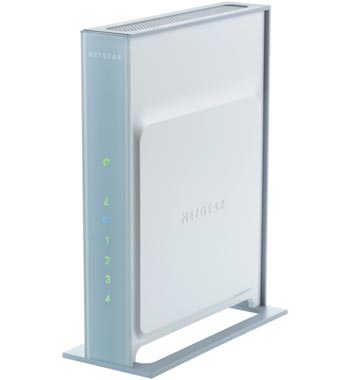
Netgear WNR854T RangeMax NEXT 300Mbps Wireless Router - inc 4 port Gigabit Switch *See Info
Scan code: LN19065
Manufacturer code: WNR854T
End Of Life

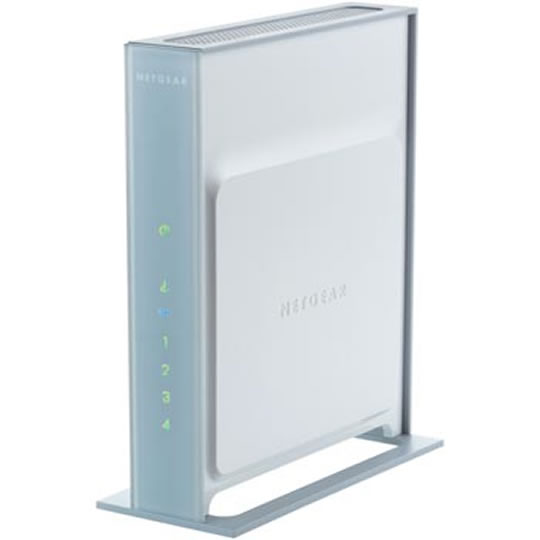

Netgear WNR854T RangeMax NEXT 300Mbps Wireless Router - inc 4 port Gigabit Switch *See Info
Netgear WNR854T RangeMax NEXT 300Mbps Wireless Router - inc 4 port Gigabit Switch *See Info
Scan code:
LN19065
Manufacturer code:
WNR854T
This product is no longer available to purchase.
Email me when the availability or price changes
Product Overview
RangeMax™ NEXT provides whole home coverage, enabling simultaneous connections to Internet services; e.g. online gaming, video streaming, and MP3 downloads. With a built in 4-port Gigabit (10/100/1000) switch, the WNR854T lets you experience the maximum wireless and wired speeds available for home networks today.
As with all NETGEAR wireless products, the WNR854T RangeMax™ NEXT Wireless N router, Gigabit edition, it is easy to set-up with NETGEAR's Smart Wizard™ install assistant and configurator. The Smart Wizard™ automatically detects your ISP's network settings, and then walks you through each step of the installation process.
The WNR854T Wireless N router is backward compatible with existing wireless devices, including 54 Mbps 802.11g and 11 Mbps 802.11b - but bear in mind that the coverage and bandwidth won't be as good with these devices.
*Please note the correct adaptors to use with this item for maximum speed are -
WN311T wireless-N PCI
WN511T wireless-N Laptop card
WN121T wireless-N USB Adaptor
Features *Please note the correct adaptors to use with this item for maximum speed are -
WN311T wireless-N PCI
WN511T wireless-N Laptop card
WN121T wireless-N USB Adaptor
Steady, constant wireless connection,
Consistent bandwidth to stream, download & transfer files
Simultaneous connect to multiple Internet services & online media
Whole home coverage & bandwidth
Built in 4-port Gigabit Switch delivers up to 1000 Mbps to wired devices
Speeds of up to 300 mbps**
As always, with NETGEAR's Smart Wizard™ installation is easy
Touchless™ WiFi security easily 'locks-down' your network
Complies with Draft 802.11n specification*
Works with existing wireless network devices (802.11g & b)
As with all NETGEAR wireless products, the WNR854T RangeMax™ NEXT Wireless N router, Gigabit edition, it is easy to set-up with NETGEAR's Smart Wizard™ install assistant and configurator. The Smart Wizard™ automatically detects your ISP's network settings, and then walks you through each step of the installation process.
The WNR854T Wireless N router is backward compatible with existing wireless devices, including 54 Mbps 802.11g and 11 Mbps 802.11b - but bear in mind that the coverage and bandwidth won't be as good with these devices.
*Please note the correct adaptors to use with this item for maximum speed are -
WN311T wireless-N PCI
WN511T wireless-N Laptop card
WN121T wireless-N USB Adaptor
Features *Please note the correct adaptors to use with this item for maximum speed are -
WN311T wireless-N PCI
WN511T wireless-N Laptop card
WN121T wireless-N USB Adaptor
Steady, constant wireless connection,
Consistent bandwidth to stream, download & transfer files
Simultaneous connect to multiple Internet services & online media
Whole home coverage & bandwidth
Built in 4-port Gigabit Switch delivers up to 1000 Mbps to wired devices
Speeds of up to 300 mbps**
As always, with NETGEAR's Smart Wizard™ installation is easy
Touchless™ WiFi security easily 'locks-down' your network
Complies with Draft 802.11n specification*
Works with existing wireless network devices (802.11g & b)


