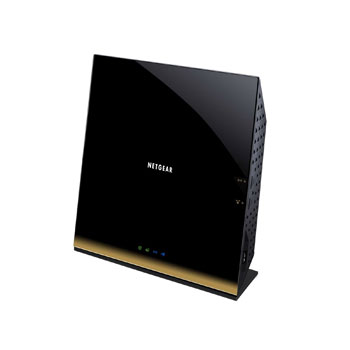
802.11ac Gigabit Dual Band Cable/WAN Wi-Fi Router with Netgear Genie APP support
Scan code: LN46004
Manufacturer code: R6300-100UKS
End Of Life

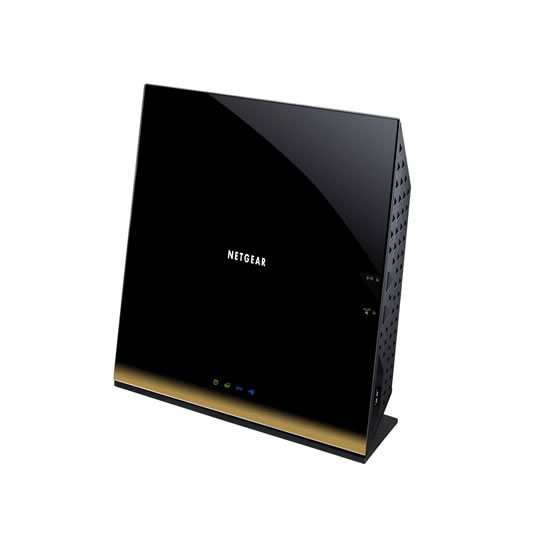
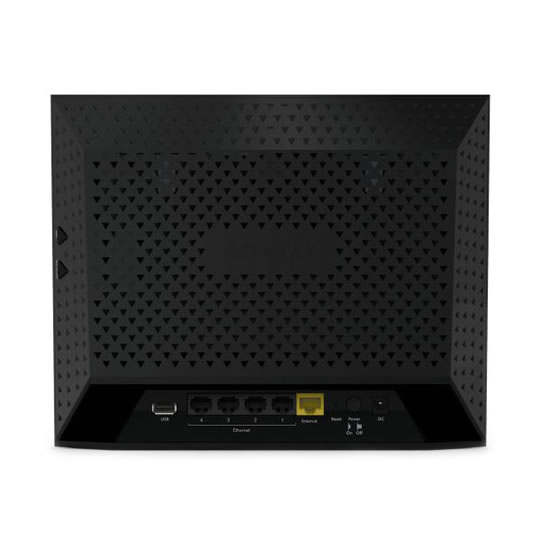


802.11ac Gigabit Dual Band Cable/WAN Wi-Fi Router with Netgear Genie APP support
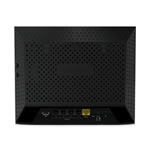
Netgear R6300 Cable/WAN Wi-Fi Router 802.11ac Gigabit (wireless/LAN) Dual Band (300+1300 Mbps) inc 2x USB
Scan code:
LN46004
Manufacturer code:
R6300-100UKS
This product is no longer available to purchase.
Email me when the availability or price changes
Product Overview
The NETGEAR R6300 WiFi Router gives you next generation WiFi at Gigabit speeds. It enables HD streaming throughout your home with speeds up to 3x faster than Wireless-N. The R6300 is compatible with next generation WiFi devices and backward compatible with 802.11n. NETGEAR genie® provides dashboard management and repair of networks.
Features Package Contents
R6300 WiFi Router
Ethernet cable
Quick install guide
Power adapter, localized to country of sale
Physical Specifications
Dimensions: 205 x 255 x 77 mm (8.07 x 10.04 x 3.03 in)
Weight: 654g (1.44 lb)
Standards
Two (2) USB 2.0 ports
IEEE® 802.11 b/g/n 2.4 GHz
IEEE 802.11 a/n/ac 5.0 GHz
Five (5) 10/100/1000 (1 WAN and 4 LAN) Gigabit Ethernet ports with auto-sensing technology
Warranty
Warranty localized to country of sale
System Requirements
Microsoft® Windows 7, Vista®, XP®, 2000, Mac OS®, UNIX®, or Linux®
Microsoft® Internet Explorer® 5.0, Firefox® 2.0, Safari® 1.4, or Google Chrome™ 11.0 browsers or higher
Use laptop with 3x3 450 Mbps adapter like Centrino® 6300/5300, or 3x3 802.11ac adapter for maximum performance
Performance
WiFi Boost with high-powered radio amplifiers
Memory: 128 MB Flash and 128 MB RAM
Advanced Quality of Service (QoS)
IPv6 Support (Internet Protocol Version 6)
Ease of Use
NETGEAR genie® App—Personal dashboard to monitor, control & repair your home network
Push ‘N’ Connect using Wi-Fi Protected Setup® (WPS)1
Security
WiFi Protected Access® (WPA/WPA2—PSK)
Double firewall protection (SPI and NAT firewall)
Denial-of-service (DoS) attack prevention
Features Package Contents
R6300 WiFi Router
Ethernet cable
Quick install guide
Power adapter, localized to country of sale
Physical Specifications
Dimensions: 205 x 255 x 77 mm (8.07 x 10.04 x 3.03 in)
Weight: 654g (1.44 lb)
Standards
Two (2) USB 2.0 ports
IEEE® 802.11 b/g/n 2.4 GHz
IEEE 802.11 a/n/ac 5.0 GHz
Five (5) 10/100/1000 (1 WAN and 4 LAN) Gigabit Ethernet ports with auto-sensing technology
Warranty
Warranty localized to country of sale
System Requirements
Microsoft® Windows 7, Vista®, XP®, 2000, Mac OS®, UNIX®, or Linux®
Microsoft® Internet Explorer® 5.0, Firefox® 2.0, Safari® 1.4, or Google Chrome™ 11.0 browsers or higher
Use laptop with 3x3 450 Mbps adapter like Centrino® 6300/5300, or 3x3 802.11ac adapter for maximum performance
Performance
WiFi Boost with high-powered radio amplifiers
Memory: 128 MB Flash and 128 MB RAM
Advanced Quality of Service (QoS)
IPv6 Support (Internet Protocol Version 6)
Ease of Use
NETGEAR genie® App—Personal dashboard to monitor, control & repair your home network
Push ‘N’ Connect using Wi-Fi Protected Setup® (WPS)1
Security
WiFi Protected Access® (WPA/WPA2—PSK)
Double firewall protection (SPI and NAT firewall)
Denial-of-service (DoS) attack prevention


802.11ac Gigabit Dual Band Cable/WAN Wi-Fi Router with Netgear Genie APP support
![802.11ac Gigabit Dual Band Cable/WAN Wi-Fi Router with Netgear Genie APP support]()