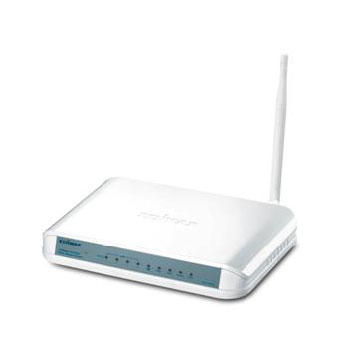
Edimax AR-7167WNA ADSL2/2+ Modem Router inc 4 Port Switch
Scan code: LN45010
Manufacturer code: AR-7167WNA
End Of Life

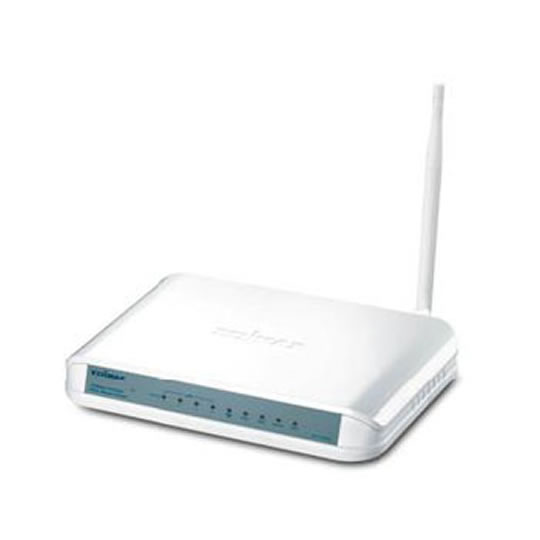

Edimax AR-7167WNA ADSL2/2+ Modem Router inc 4 Port Switch
Edimax AR-7167WNA 11n 150mbps ADSL2/2+ Modem Router with 4 Port Ethernet Switch (IPv6 1T1R)
Scan code:
LN45010
Manufacturer code:
AR-7167WNA
This product is no longer available to purchase.
Email me when the availability or price changes
- SCANPROTECT Protect against installation damage for 28 days.
Product Overview
150Mbps Wireless ADSL2/2+ Modem Router
The Edimax AR-7167WnA/B is a high performance router that supports the ADSL2+ and 802.11n standards. Its advanced MIMO technology provides users up to 6 times better wireless data transmission rates (up to 150Mbps) and 3 times better signal coverage when compared to standard 802.11g/b routers. With superb reliability and cost-effectiveness, the Edimax AR-7167WnA/B is the perfect ADSL modem router for the home and small business.
Built-in ADSL2/2+ Modem & lP Sharing
The Edimax AR-7167WnA/B is compatible with ADSL, ADSL2, and ADSL2+ Internet services. It can allow for network speeds of up to 24Mbps downstream and 1Mbps upstream. Its IP sharing capability allows users to share a single ADSL connection with up to 253 wired or wireless client devices.
Wi-Fi Protected Setup (WPS)
The Edimax AR-7167WnA/B features a convenient WPS button. Users can set up an encrypted wireless connection simply by pressing the WPS button on this router and the client device. This one-click WPS button helps users set up a secure wireless network in less than a minute.
Multi-Language Setup Wizard*
An easy-to-use multi-language setup wizard is provided in the bundled CD. The user can select a preferred language and it will set up the Internet connection, Wi-Fi network, and network security in a few simple steps.
Virtual Server & DMZ
The Edimax AR-7167WnA/B is built with virtual server and DMZ functionality for applications that require open ports, such as online games, VoIP phones, and web servers.
* The EZmax Setup Wizard only supports Edimax wireless routers. Features • Complies with ADSL2/2+ standards with downstream and upstream data rates up to 24Mbps and 1Mbps
• Compatible with the 802.11n standard and complies with 802.11b/g standards
• Wireless speed up to 6 times faster and coverage up to 3 times greater
• EZmax multi-language setup wizard for Internet connection, wireless settings, and firmware upgrade
• Features WEP & WPA2 encryption and a hardware WPS button
• Supports UPnP, IP/MAC filtering, DMZ, and virtual server
The Edimax AR-7167WnA/B is a high performance router that supports the ADSL2+ and 802.11n standards. Its advanced MIMO technology provides users up to 6 times better wireless data transmission rates (up to 150Mbps) and 3 times better signal coverage when compared to standard 802.11g/b routers. With superb reliability and cost-effectiveness, the Edimax AR-7167WnA/B is the perfect ADSL modem router for the home and small business.
Built-in ADSL2/2+ Modem & lP Sharing
The Edimax AR-7167WnA/B is compatible with ADSL, ADSL2, and ADSL2+ Internet services. It can allow for network speeds of up to 24Mbps downstream and 1Mbps upstream. Its IP sharing capability allows users to share a single ADSL connection with up to 253 wired or wireless client devices.
Wi-Fi Protected Setup (WPS)
The Edimax AR-7167WnA/B features a convenient WPS button. Users can set up an encrypted wireless connection simply by pressing the WPS button on this router and the client device. This one-click WPS button helps users set up a secure wireless network in less than a minute.
Multi-Language Setup Wizard*
An easy-to-use multi-language setup wizard is provided in the bundled CD. The user can select a preferred language and it will set up the Internet connection, Wi-Fi network, and network security in a few simple steps.
Virtual Server & DMZ
The Edimax AR-7167WnA/B is built with virtual server and DMZ functionality for applications that require open ports, such as online games, VoIP phones, and web servers.
* The EZmax Setup Wizard only supports Edimax wireless routers. Features • Complies with ADSL2/2+ standards with downstream and upstream data rates up to 24Mbps and 1Mbps
• Compatible with the 802.11n standard and complies with 802.11b/g standards
• Wireless speed up to 6 times faster and coverage up to 3 times greater
• EZmax multi-language setup wizard for Internet connection, wireless settings, and firmware upgrade
• Features WEP & WPA2 encryption and a hardware WPS button
• Supports UPnP, IP/MAC filtering, DMZ, and virtual server


