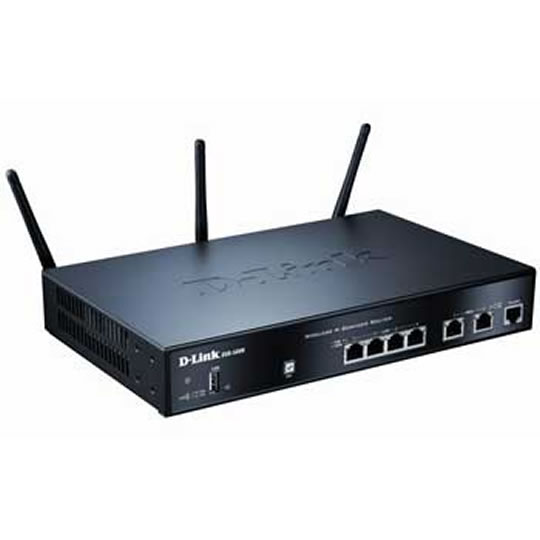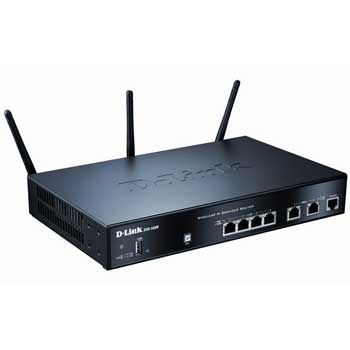
D-Link DSR-500N Wireless N Router
End Of Life
D-Link DSR-500N Wireless N Router
Scan code: LN39252 Manufacturer code: DSR-500N
End Of Life

End Of Life

D-Link DSR-500N Wireless N Router

D-Link DSR-500N Wireless N Unified Service Router dual-WAN Gigabit Ethernet

Scan code: LN39252 Manufacturer code: DSR-500N
End of life
This product is no longer available to purchase.

Email me when the availability or price changes

Product Overview D-Link’s DSR-500N Unified Services Router is a secure, high performance networking solution to address the growing needs of small and medium businesses. Integrating Wireless N and USB support, the DSR-500N offers comparable performance to traditional wired networks but with fewer limitations. Optimal network security is provided via features such as virtual private network (VPN) tunnels, IP Security (IPSec), Point-to- Point Tunnelling Protocol (PPTP), Layer 2 Tunnelling Protocol (L2TP), and Secure Sockets Layer (SSL), making it ideal for SMB and branch offices that need a secure, reliable connection to remote resources. Features • Powerful VPN Engine.
• Professional Intrusion Prevention System (IPS).
• WAN Link Load-Balancing and Fault-Tolerance.
• Superior Wireless Performance.
• Efficient Green Technology.
Warranty

Please note your statutory rights are not affected.

For further information regarding Scan's warranty procedure please see our terms and conditions

Details
Duration:
24 months
Type:
Direct
DOA Period:
28 days
Manufacturer Contact Details
Manufacturer:
D-LINK
Telephone:
0845 612 0003/0871 873 3000
Buying Guide
Need help? Read our Home Broadband Buying Guide
Wi-Fi
Wi-Fi
Date Issued: 20th Oct 2008

Home networking let’s you do great things that aren’t possible with standalone PCs. Printers can be shared between PC, so there’s no need to buy one for each machine.

Read More

Port Forwarding
Port Forwarding
Date Issued: 20th Oct 2008

Port forwarding is a technique you’ll need to use to enable certain services if you’re using a router. If you don’t really care how it works, you can skip this section and just find out how to do it.

Read More

Broadband ADSL vs Cable
Date Issued: 20th Oct 2008

On the surface we’re asking a relatively simple question here: "What do I need to get my broadband Internet working?" Of course, it’s not quite as simple as that. Worry not, however, for this TekSpek covers both the differences between the two popular kinds of broadband and what you’ll need to get your home computer(s) connected up.

Read More

Wi-Fi Security
Wi-Fi Security
Date Issued: 19th Jun 2008

WiFi is a wonderful thing. You can take your laptop anywhere in your house and access the Internet, or access your network from the garden. However, it does introduce the grim possibility of somebody else doing exactly the same, without you ever knowing. This guide seeks to make you aware of various security terms and ideas associated with wireless networking and what you should consider when setting up a wireless network.

Read More

Home Networking
Home Networking
Date Issued: 26th Oct 2006

As a growing number of homes contain more than one computer, their users must find ways to network them. The primary purpose for creating a home network tends to be to provide Internet access to all computers within the house. There are other good reasons, however. These include enabling LAN gaming, data backups from one machine to another and the sharing of music within the home.

Read More