
Network Security Firewall with 802.11n , 4x Gigabit Lan and WAN Port
Scan code: LN43044
Manufacturer code: RV220W-E-K9-G5
End Of Life

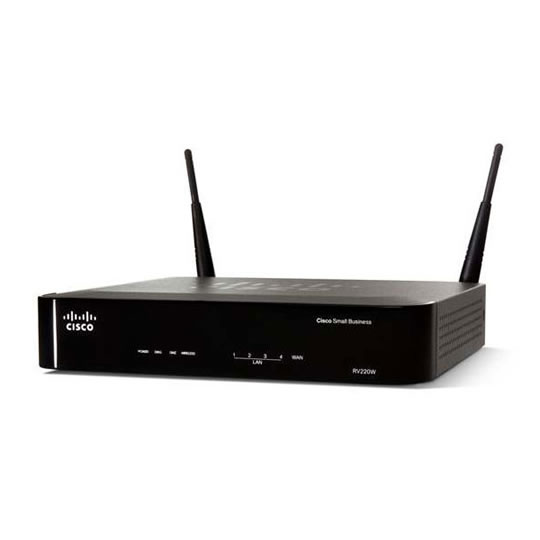

Network Security Firewall with 802.11n , 4x Gigabit Lan and WAN Port
Cisco RV220W-E-K9-G5 Wireless N Broadband Network Security Firewall Router inc 4 Gigabit Network Ports
Scan code:
LN43044
Manufacturer code:
RV220W-E-K9-G5
This product is no longer available to purchase.
Email me when the availability or price changes
Product Overview
The Cisco® RV220W Network Security Firewall lets small offices enjoy secure, reliable, wired and wireless, broadband connectivity - to the Internet, other offices, and employees working remotely. This high-performance wireless router helps improve productivity by providing fast access to the large files and rich media applications your employees use every day.
Designed to provide greater flexibility for highly secure, remote connections, the RV220W supports both IP Security (IPsec) and Secure Sockets Layer (SSL) VPN, often referred to as hybrid VPN. IPsec VPN enables other offices to connect just as if they were physically connected to the primary business network. SSL VPN, which allows secure connections through any web browser, is application-specific, offering a means of extending controlled access to business partners and others, without compromising critical data.
To help further safeguard your network and data, the Cisco RV220W includes business-class security features and optional cloud-based Web filtering. Setup is simple, using a browser-based configuration utility.
Features High-performance Gigabit Ethernet connections, internally and externally, plus a built-in wireless-N access point, speeds file transfers to improve productivity
4-port 10/100/1000 Mbps Gigabit Ethernet switch
Selectable, dual-band wireless radio helps reduce interference to improve wireless performance
Hybrid VPN (IPsec and SSL VPN) features enable secure access for other offices, employees working remotely, and business partners
Proven firewall, support for separate virtual networks, and strong wireless security help protect the network and business assets
Optional Cisco ProtectLink Web security service delivers cloud-based web threat protection for added security
Intuitive, browser-based device manager makes installation and use easy
Designed to provide greater flexibility for highly secure, remote connections, the RV220W supports both IP Security (IPsec) and Secure Sockets Layer (SSL) VPN, often referred to as hybrid VPN. IPsec VPN enables other offices to connect just as if they were physically connected to the primary business network. SSL VPN, which allows secure connections through any web browser, is application-specific, offering a means of extending controlled access to business partners and others, without compromising critical data.
To help further safeguard your network and data, the Cisco RV220W includes business-class security features and optional cloud-based Web filtering. Setup is simple, using a browser-based configuration utility.
Features High-performance Gigabit Ethernet connections, internally and externally, plus a built-in wireless-N access point, speeds file transfers to improve productivity
4-port 10/100/1000 Mbps Gigabit Ethernet switch
Selectable, dual-band wireless radio helps reduce interference to improve wireless performance
Hybrid VPN (IPsec and SSL VPN) features enable secure access for other offices, employees working remotely, and business partners
Proven firewall, support for separate virtual networks, and strong wireless security help protect the network and business assets
Optional Cisco ProtectLink Web security service delivers cloud-based web threat protection for added security
Intuitive, browser-based device manager makes installation and use easy


Network Security Firewall with 802.11n , 4x Gigabit Lan and WAN Port
![Network Security Firewall with 802.11n , 4x Gigabit Lan and WAN Port]()