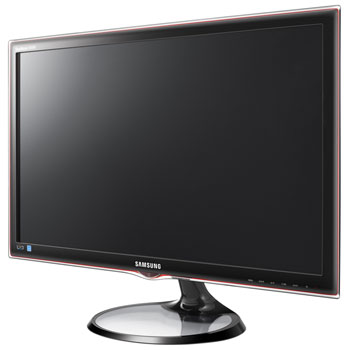
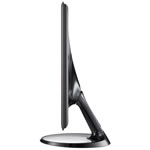
27" Samsung S27A550H LED Monitor
Scan code: LN40613
Manufacturer code: LS27A550HS
End Of Life

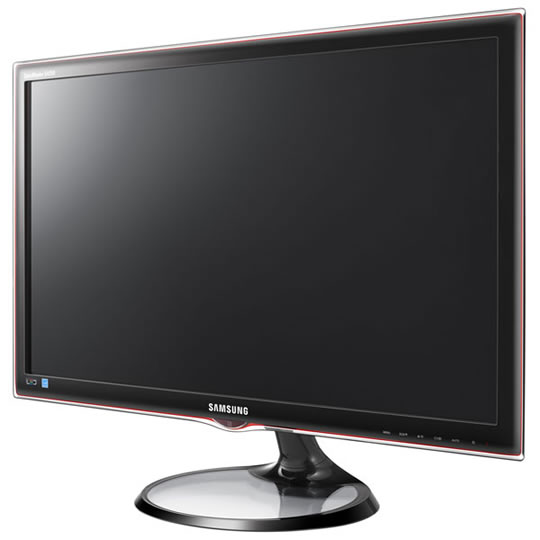
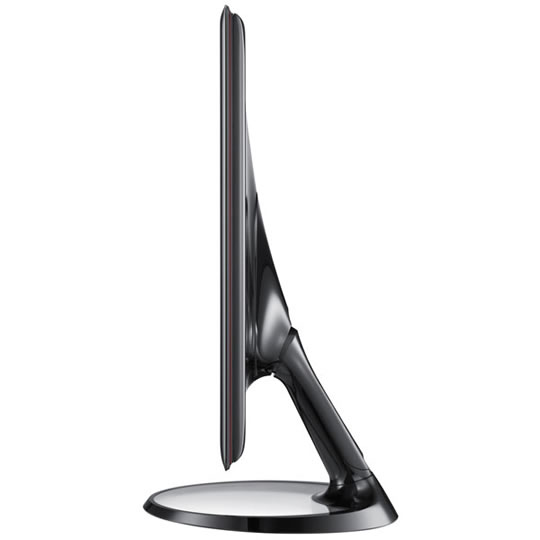


27" Samsung S27A550H LED Monitor
27" Samsung LS27A550HS LED, 1920x1080, 2ms, 300cd/m², 1000:1, Black
Scan code:
LN40613
Manufacturer code:
LS27A550HS
This product is no longer available to purchase.
Email me when the availability or price changes
- 48HR REPLACEMENT If you need to return this item, your replacement will be dispatched within 2 working days of your product arriving back at Scan.
Product Overview
The Samsung SA550 LED monitor recognises today's real needs and has introduced several new energy saving modes that let you enjoy the best visual experience while also conserving energy. With a host of Eco features, reducing your footprint has never been so easy. The Eco motion sensor automatically turns your monitor off / on so that it is ever unnecessarily left on, the Eco light sensor automatically optimises your screen brightness for visibility and energy savings. Additionally, the Samsung Magic features for unbelievable picture clarity, and you have a monitor that is loaded with huge potential and ready to transform the way you watch content.
Features Upgrade to the next level with Mega Dynamic Contrast.
Experience amazing new levels of colour, brilliance and picture quality through the very latest in Mega Dynamic Contrast Ratio. Samsung’s SA550 monitors deliver images so real-to-life that it will transform your whole viewing experience. Packed with breathtaking 5,000,000:1 contrast ratio, the highest level currently available, the SA550 monitor ensures that blacks are at their absolute darkest and (with pristine whites) colours are at their brightest. You will immediately notice the crystal clear picture and its unbelievable intensity. It is like an explosion of colours and leaves other screens seeming dull in comparison. So, take your viewing pleasure to the next level with Samsung’s Mega Dynamic Contrast Ratio – and enjoy your multimedia content with the professionalism it deserves.
Save energy with new smart motion technology.
Step into the future with the SA550 monitor, which utilises the very latest in motion sensors to create a monitor that hangs on your every movement. With a built-in PIR (Pyrolectric Infrared Ray) sensor, the SA550 automatically detects movement within a specified area in front of the screen. This allows your monitor to automatically dim or power off, and then power back on or brighten once detecting a nearby viewer. This Eco motion sensor is the easiest way to conserve energy.
Gentle on the eyes and on the environment.
Save electricity and hassle with Samsung’s Eco light sensor. By adjusting screen brightness to match your surrounding environment, the SA550’s Eco light sensor creates a brilliant visual display while also minimizing your energy consumption. You will benefit from a more comfortable viewing experience that is far better for the environment. Monitor brightness is adjusted to match your ambient light, which ensures that the screen is highly visible and appropriately set for your eyes. So, in a dark room the screen will reduce brightness, but when sitting in a room with plenty of light, it will increase brightness. The Eco light sensor is simply perfect for modern living - helping you conserve energy and keep comfortable.
Control brightness, conserve energy.
Eco saving makes saving energy easy. It adjusts the brightness of your Samsung monitor based on how much energy you want to save. And with the choice of three energy saving modes (50%, 25% and Power Saving off), you can really tailor your monitor use to meet your own personal needs. Samsung’s commitment to saving energy is designed to help both you and the environment, and with up to 50% saving on consumption, you can really make a positive impact on your eco footprint. Take the effort out of saving energy and take control with Eco saving.
See it your way with wider viewing angles.
How do you like to watch movies? Do you like lying down on the couch? Sitting in your favourite chair? Cooking or exercising? Whether you’re standing, sitting or lying down, Samsung’s Magic Angle makes sure that the movie always takes centre stage and that you’re always comfortable. This means, thanks to the 5-mode angle management, that whatever angle you watch your Samsung monitor, you will enjoy a full visual experience with amazing picture clarity. So, start seeing your favourite movies and other multimedia in total comfort and without limitations thanks to Magic Angle.
Features Upgrade to the next level with Mega Dynamic Contrast.
Experience amazing new levels of colour, brilliance and picture quality through the very latest in Mega Dynamic Contrast Ratio. Samsung’s SA550 monitors deliver images so real-to-life that it will transform your whole viewing experience. Packed with breathtaking 5,000,000:1 contrast ratio, the highest level currently available, the SA550 monitor ensures that blacks are at their absolute darkest and (with pristine whites) colours are at their brightest. You will immediately notice the crystal clear picture and its unbelievable intensity. It is like an explosion of colours and leaves other screens seeming dull in comparison. So, take your viewing pleasure to the next level with Samsung’s Mega Dynamic Contrast Ratio – and enjoy your multimedia content with the professionalism it deserves.
Save energy with new smart motion technology.
Step into the future with the SA550 monitor, which utilises the very latest in motion sensors to create a monitor that hangs on your every movement. With a built-in PIR (Pyrolectric Infrared Ray) sensor, the SA550 automatically detects movement within a specified area in front of the screen. This allows your monitor to automatically dim or power off, and then power back on or brighten once detecting a nearby viewer. This Eco motion sensor is the easiest way to conserve energy.
Gentle on the eyes and on the environment.
Save electricity and hassle with Samsung’s Eco light sensor. By adjusting screen brightness to match your surrounding environment, the SA550’s Eco light sensor creates a brilliant visual display while also minimizing your energy consumption. You will benefit from a more comfortable viewing experience that is far better for the environment. Monitor brightness is adjusted to match your ambient light, which ensures that the screen is highly visible and appropriately set for your eyes. So, in a dark room the screen will reduce brightness, but when sitting in a room with plenty of light, it will increase brightness. The Eco light sensor is simply perfect for modern living - helping you conserve energy and keep comfortable.
Control brightness, conserve energy.
Eco saving makes saving energy easy. It adjusts the brightness of your Samsung monitor based on how much energy you want to save. And with the choice of three energy saving modes (50%, 25% and Power Saving off), you can really tailor your monitor use to meet your own personal needs. Samsung’s commitment to saving energy is designed to help both you and the environment, and with up to 50% saving on consumption, you can really make a positive impact on your eco footprint. Take the effort out of saving energy and take control with Eco saving.
See it your way with wider viewing angles.
How do you like to watch movies? Do you like lying down on the couch? Sitting in your favourite chair? Cooking or exercising? Whether you’re standing, sitting or lying down, Samsung’s Magic Angle makes sure that the movie always takes centre stage and that you’re always comfortable. This means, thanks to the 5-mode angle management, that whatever angle you watch your Samsung monitor, you will enjoy a full visual experience with amazing picture clarity. So, start seeing your favourite movies and other multimedia in total comfort and without limitations thanks to Magic Angle.


27" Samsung S27A550H LED Monitor
![27" Samsung S27A550H LED Monitor]()