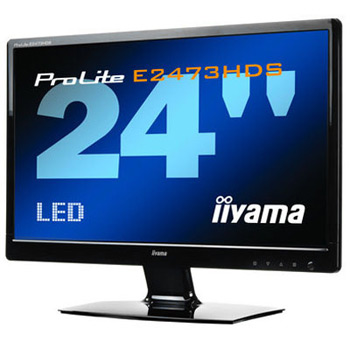
Iiyama Prolite 24" E2473HDS-B1 LED Monitor Full HD with HDMI Fast 2ms
Scan code: LN37905
Manufacturer code: PLE2473HDS-B1
End Of Life

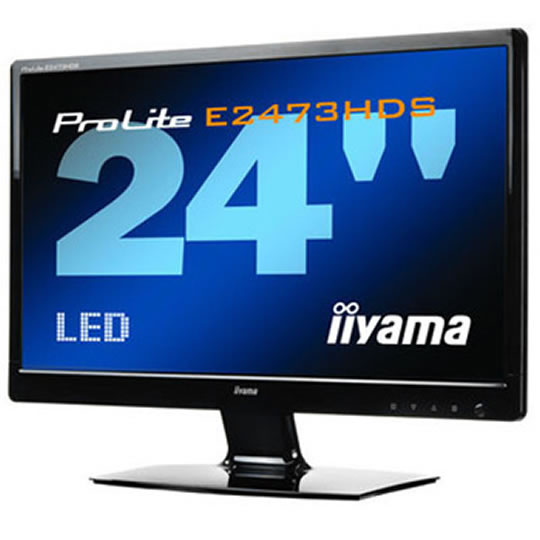

Iiyama Prolite 24" E2473HDS-B1 LED Monitor Full HD with HDMI Fast 2ms
24" Iiyama E2473HDS-B1 LED Full HD HDMI/DVI/VGA 1920x1080P 300cd/m2 1000:1 2ms Speakers Black
Scan code:
LN37905
Manufacturer code:
PLE2473HDS-B1
This product is no longer available to purchase.
Email me when the availability or price changes
- 3XS Approved Custom picked by our award winning 3XS Systems team.
Product Overview
The ProLite E2473HDS LED-backlit monitor, finished in the latest glossy-black, is a full high definition 24" display that features all the benefits this technology affords. The high specifications of the monitor include the 5,000,000:1 ACR, triple input connectivity (D-Sub, DVI-D, 2 x HDMI) and fast 2ms response for excellent sharpness in high definition video. VESA mount compatibility along with one HDMI input and headphone connector on the side of the cabinet ensures great comfort of usage.
Features ACR
Contrast Ratio is a measurement of this difference between the blackest black and the whitest white your LCD can display. Advanced Contrast Ratio is a feature that automatically adjusts the contrast and brightness based on the darkness of the image. The higher the ratio, the better your screen will look when you have the lights off in a room.
Full HD
With true 1920 x 1080p resolution your LCD is ready to display any high definition images. It also offers you much more viewable area than a standard LCD with 1280 x 1024 resolution.
LED-Backlit
A typical CCFL LCD uses four backlight lamps. Using LED diodes considerably lowers the power consumption and reduces the CO2 emission into the environment making this LCD a true ECO-Friendly product.
2 x HDMI
HDMI stands for High-Definition Multimedia Interface. Much smaller and more convenient than DVI, HDMI also has the significant advantage over DVI that it supports audio as well as video signals.
1x HDMI and headphone connector at the side of the cabinet
Comfortable and easy to reach, especially if you want to mount your monitor to a wall.
Features ACR
Contrast Ratio is a measurement of this difference between the blackest black and the whitest white your LCD can display. Advanced Contrast Ratio is a feature that automatically adjusts the contrast and brightness based on the darkness of the image. The higher the ratio, the better your screen will look when you have the lights off in a room.
Full HD
With true 1920 x 1080p resolution your LCD is ready to display any high definition images. It also offers you much more viewable area than a standard LCD with 1280 x 1024 resolution.
LED-Backlit
A typical CCFL LCD uses four backlight lamps. Using LED diodes considerably lowers the power consumption and reduces the CO2 emission into the environment making this LCD a true ECO-Friendly product.
2 x HDMI
HDMI stands for High-Definition Multimedia Interface. Much smaller and more convenient than DVI, HDMI also has the significant advantage over DVI that it supports audio as well as video signals.
1x HDMI and headphone connector at the side of the cabinet
Comfortable and easy to reach, especially if you want to mount your monitor to a wall.


