
Netgear DGN1000 Wireless-N 150 ADSL2+/DSL Modem Router with 4 Port Switch UK Retail
Scan code: LN29472
Manufacturer code: DGN1000-100UKS
End Of Life

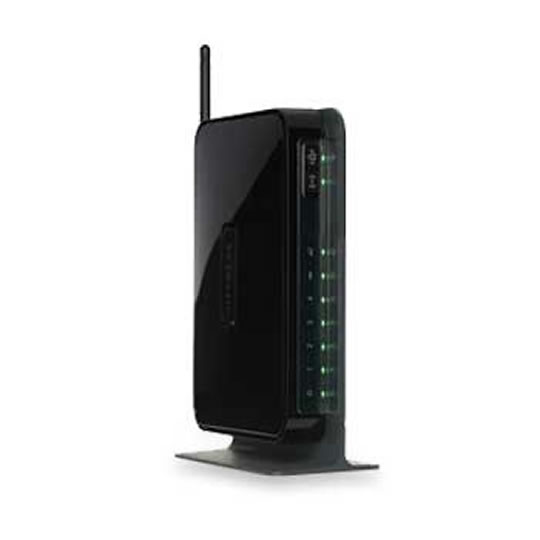

Netgear DGN1000 Wireless-N 150 ADSL2+/DSL Modem Router with 4 Port Switch UK Retail
Netgear DGN1000 Wireless-N 150 ADSL2+/DSL Modem Router with 4 Port Switch UK Retai
Scan code:
LN29472
Manufacturer code:
DGN1000-100UKS
This product is no longer available to purchase.
Email me when the availability or price changes
- SCANPROTECT Protect against installation damage for 28 days.
Product Overview
The NETGEAR DGN1000 extends the possibilities of wireless home networking by providing a Steady Wireless Stream approaching 150Mbps, and is compliant with 802.11n. The NETGEAR DGN1000 features Live Parental Controls to keep your Internet experience safe by blocking inappropriate Internet content, Push ‘N’ to securely and easily connect devices at the push of a button and provides an extra performance boost when connected to other Wireless-N devices.
Standards
IEEE 802.11n draft version, IEEE 802.11g, IEEE 802.11b, 2.4 GHz
WAN (ADSL): ITU 992.1 (G.dmt) Annex A, ITU 992.2 (G.lite), ITU 992.3 ADSL2 (G.dmt.bis), ITU 992.5 ADSL2+
• Features Live Parental Controls (installs from CD), keeping your Internet experience safe
• Provides better wireless coverage than Wireless-G routers
• Extra performance boost when connected to Wireless-N devices
• Push ‘N’ Connect securely connects devices at the push of a button
• Built-in ADSL2+ modem for use with DSL broadband (through the telephone line)
Features • Live Parental Controls, powered by OpenDNS™
-Blocks unsafe Internet content and applications
-Customize settings through Web browser, accessible remotely
-Protects connected devices through the router such as PCs, gaming consoles, and iPod touch® And it’s FREE! See CD inside for installation
• Advanced wireless technologies and powerful internal antennas provide better speed and range than Wireless-G
• Push ‘N’ Connect using Wi-Fi Protected Setup™ (WPS)*
• Convenient power and Wi-Fi on/off switches conserve energy
• Packaging manufactured with at least 80% recycled materials
*Works with Clients supporting Wi-Fi Protected Setup™ (WPS)
Standards
IEEE 802.11n draft version, IEEE 802.11g, IEEE 802.11b, 2.4 GHz
WAN (ADSL): ITU 992.1 (G.dmt) Annex A, ITU 992.2 (G.lite), ITU 992.3 ADSL2 (G.dmt.bis), ITU 992.5 ADSL2+
• Features Live Parental Controls (installs from CD), keeping your Internet experience safe
• Provides better wireless coverage than Wireless-G routers
• Extra performance boost when connected to Wireless-N devices
• Push ‘N’ Connect securely connects devices at the push of a button
• Built-in ADSL2+ modem for use with DSL broadband (through the telephone line)
Features • Live Parental Controls, powered by OpenDNS™
-Blocks unsafe Internet content and applications
-Customize settings through Web browser, accessible remotely
-Protects connected devices through the router such as PCs, gaming consoles, and iPod touch® And it’s FREE! See CD inside for installation
• Advanced wireless technologies and powerful internal antennas provide better speed and range than Wireless-G
• Push ‘N’ Connect using Wi-Fi Protected Setup™ (WPS)*
• Convenient power and Wi-Fi on/off switches conserve energy
• Packaging manufactured with at least 80% recycled materials
*Works with Clients supporting Wi-Fi Protected Setup™ (WPS)


