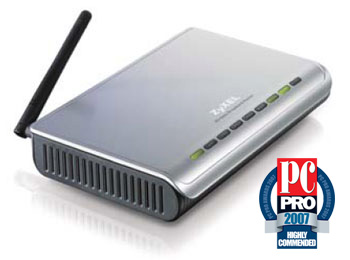
ZyXEL Prestige P320W Wireless 54G Broadband/Cable/DSL 4in1 Router + 4 Port 10/100 & Firewall
Scan code: LN17614
Manufacturer code: 91-003-185006B
End Of Life

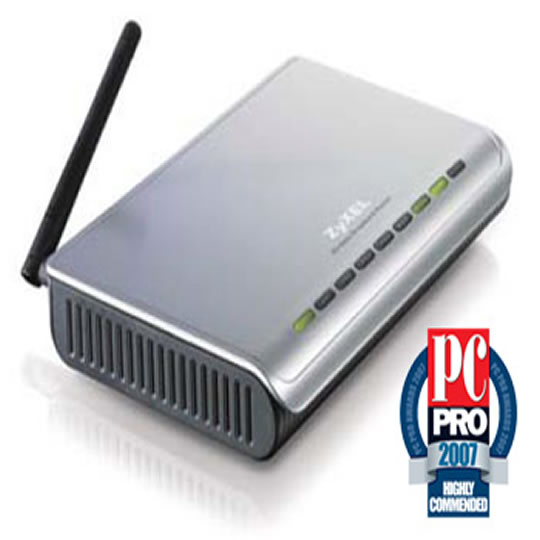

ZyXEL Prestige P320W Wireless 54G Broadband/Cable/DSL 4in1 Router + 4 Port 10/100 & Firewall
ZyXEL Prestige P320W Wireless 54G Broadband/Cable/DSL 4in1 Router + 4 Port 10/100 & Firewall
Scan code:
LN17614
Manufacturer code:
91-003-185006B
This product is no longer available to purchase.
Email me when the availability or price changes
Product Overview
Cost-effective 4-in-1 Firewall Router
Virgin/Telewest/NTL/Kingston Ready + Normal Broadband
ZyXEL P-320W is a firewall router with 4-port switch for sharing Internet access. The built-in IEEE 802.11g Access Point allows you to connect wireless devices to the network. With the powerful SPI firewall, the P-320W provides security protection for home computers surfing the Internet.
Wireless Security Setting: It's That Easy
Why wireless security features are important? Security features are important to prevent unauthorized or unknown users from sharing your Internet connection and to protect personal or private information on your network. ZyXEL's One-Touch Intelligent Security Technology (OTIST) automatically establishes a wireless connection and set up the highest level of security available between the P-320W and any ZyXEL OTIST enabled wireless clients.
Complete Protection for Home Network
As a fully-equipped, broadband-capable device, the P-320W is a robust firewall providing enterprise-class security features: Denial of Service (DoS) protection and Intrusion Detection using Stateful Packet Inspection (SPI). In addition, the P-320W allows VPN pass-through to provide a safe access to Internet. Features • Cost-effective 4-in-1 Broadband Sharing Router
• One Touch Intelligent Security Technology (OTIST) for Quick Wireless Security Setup
• Stateful Packet Inspection (SPI) Firewall with Denial-of-Service (DoS) Protection for Secure Home Networking
Virgin/Telewest/NTL/Kingston Ready + Normal Broadband
ZyXEL P-320W is a firewall router with 4-port switch for sharing Internet access. The built-in IEEE 802.11g Access Point allows you to connect wireless devices to the network. With the powerful SPI firewall, the P-320W provides security protection for home computers surfing the Internet.
Wireless Security Setting: It's That Easy
Why wireless security features are important? Security features are important to prevent unauthorized or unknown users from sharing your Internet connection and to protect personal or private information on your network. ZyXEL's One-Touch Intelligent Security Technology (OTIST) automatically establishes a wireless connection and set up the highest level of security available between the P-320W and any ZyXEL OTIST enabled wireless clients.
Complete Protection for Home Network
As a fully-equipped, broadband-capable device, the P-320W is a robust firewall providing enterprise-class security features: Denial of Service (DoS) protection and Intrusion Detection using Stateful Packet Inspection (SPI). In addition, the P-320W allows VPN pass-through to provide a safe access to Internet. Features • Cost-effective 4-in-1 Broadband Sharing Router
• One Touch Intelligent Security Technology (OTIST) for Quick Wireless Security Setup
• Stateful Packet Inspection (SPI) Firewall with Denial-of-Service (DoS) Protection for Secure Home Networking


