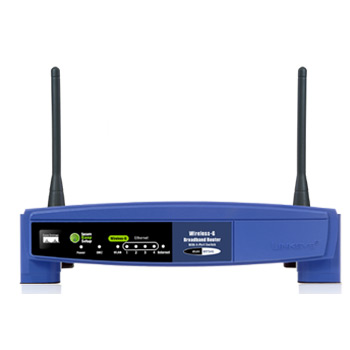
Linksys Wi-Fi Router WRT54GL
Scan code: LN28091
Manufacturer code: WRT54GL-UK
End Of Life

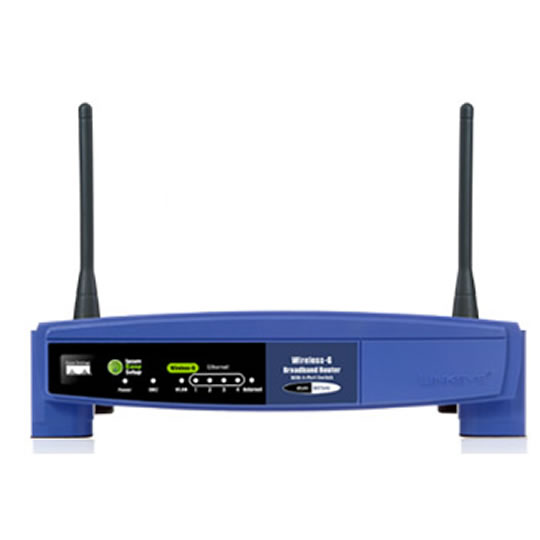

Product Overview
The Linux-based Wireless-G Linux Broadband Router was created specially for hobbyists and wireless aficionados. Add wireless capability to your wired network and enjoy the convenience that comes when you eliminate cables. Add wireless devices to your network. With less wiring, you’ll do much more.
Wireless Convenience
You’ve got the network – now enhance it with Wireless-G access up to 54 Mbps. Now it’s easy to grow your network by adding computers, printers and other wireless devices, without stringing cables. Also compatible with Wireless-B devices. Reliable connectivity allows you to move your laptops, or set up your devices all around your home or office. Or add Access Points to two separate networks and create “cable-less cable” connectivity between them.
Easy Configuration
Device and security configuration is a snap with the Browser-based configuration utility.
Encryption-Secured Connection
Work with confidence. Industrial-strength encryption helps keep your communications protected and private. Access filter lets you control who can get on your wireless network.
Features Model: WRT54G
Standards: IEEE 802.3, IEEE 802.3u, IEEE 802.11g, IEEE 802.11b
Channels:11 Channels (US, Canada) :: 13 Channels (Europe, Japan)
Ports/Buttons
Internet
One 10/100 RJ-45 Port
LAN
Four 10/100 RJ-45 Switched Ports
One Power Port
One Reset Button
One SecureEasySetup Button
Cabling CAT 5
LEDs Power, DMZ, WLAN, LAN (1, 2, 3, 4), Internet, SecureEasySetup
RF Power Output: 18 dBm
UPnP able/cert: Able
Security Features: Stateful Packet Inspection (SPI) Firewall, Internet Policy
Wireless Security: Wi-Fi Protected Access™2 (WPA2), WEP, Wireless MAC Filtering
Key Features
Complies with 802.11g and 802.11b (2.4GHz) Standards
Unsurpassed Wireless Security with Wi-Fi Protected Access™ 2 (WPA2)
Enhanced Internet Security Management Functions including Internet Access Policies with Time Schedules
All LAN Ports Support Auto-Crossover (MDI/MDI-X) - No Need for Crossover Cables
Environmental Details
Dimensions 7.32” x 1.89” x 6.06” (186 x 48 x 154mm)
Weight 13.09 oz. (371g)
Power External, 12V DC, 0.5A
Certiication FCC, IC-03, CE, Wi-Fi (802.11b, 802.11g), WPA2, WMM
Operating Temp. 0°C to 40°C (32°F to 104°F)
Storage Temp. -20°C to 70°C (-4°F to 158°F)
Operating Humidity 10% to 85% Non-Condensing
Storage Humidity 5% to 90% Non-Condensing
Wireless Convenience
You’ve got the network – now enhance it with Wireless-G access up to 54 Mbps. Now it’s easy to grow your network by adding computers, printers and other wireless devices, without stringing cables. Also compatible with Wireless-B devices. Reliable connectivity allows you to move your laptops, or set up your devices all around your home or office. Or add Access Points to two separate networks and create “cable-less cable” connectivity between them.
Easy Configuration
Device and security configuration is a snap with the Browser-based configuration utility.
Encryption-Secured Connection
Work with confidence. Industrial-strength encryption helps keep your communications protected and private. Access filter lets you control who can get on your wireless network.
Features Model: WRT54G
Standards: IEEE 802.3, IEEE 802.3u, IEEE 802.11g, IEEE 802.11b
Channels:11 Channels (US, Canada) :: 13 Channels (Europe, Japan)
Ports/Buttons
Internet
One 10/100 RJ-45 Port
LAN
Four 10/100 RJ-45 Switched Ports
One Power Port
One Reset Button
One SecureEasySetup Button
Cabling CAT 5
LEDs Power, DMZ, WLAN, LAN (1, 2, 3, 4), Internet, SecureEasySetup
RF Power Output: 18 dBm
UPnP able/cert: Able
Security Features: Stateful Packet Inspection (SPI) Firewall, Internet Policy
Wireless Security: Wi-Fi Protected Access™2 (WPA2), WEP, Wireless MAC Filtering
Key Features
Complies with 802.11g and 802.11b (2.4GHz) Standards
Unsurpassed Wireless Security with Wi-Fi Protected Access™ 2 (WPA2)
Enhanced Internet Security Management Functions including Internet Access Policies with Time Schedules
All LAN Ports Support Auto-Crossover (MDI/MDI-X) - No Need for Crossover Cables
Environmental Details
Dimensions 7.32” x 1.89” x 6.06” (186 x 48 x 154mm)
Weight 13.09 oz. (371g)
Power External, 12V DC, 0.5A
Certiication FCC, IC-03, CE, Wi-Fi (802.11b, 802.11g), WPA2, WMM
Operating Temp. 0°C to 40°C (32°F to 104°F)
Storage Temp. -20°C to 70°C (-4°F to 158°F)
Operating Humidity 10% to 85% Non-Condensing
Storage Humidity 5% to 90% Non-Condensing


