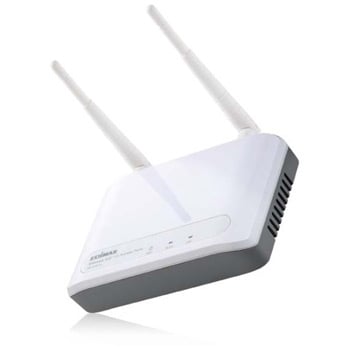
Edimax EW-7415PDn Wireless Router
Scan code: LN31389
Manufacturer code: EW-7415PDn
End Of Life

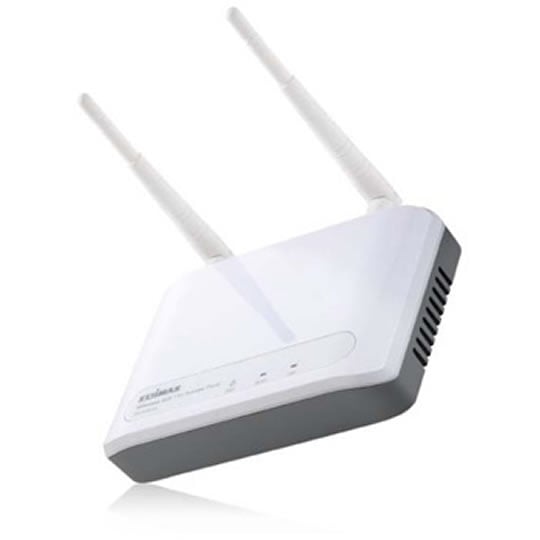

Product Overview
Wireless 802.11n Access Point With Power over Ethernet
802.11n Draft 2.0 Wireless LAN Access Point
Acting as a bridge between the wired Ethernet and the 2.4GHz IEEE 802.11b/g/n wireless LAN, this wireless LAN access point can let your wireless LAN client stations access both the wired and the wireless network nodes.
WDS Bridge Mode (Repeater Mode)
The WDS (Wireless Distributed System) function let this access point acts as a wireless LAN access point and repeater at the same time. Users can use this feature to build up a large wireless network in a large space like airports, hotels and schools …etc. This feature is also useful when users want to bridge networks between buildings where it is impossible to deploy network cable connections between these buildings.
Robust Wireless LAN Security (WPA, WPA2 support)
Except for the basic security control by using ESSID and 64/128 bit key length WEP encryption, this access point also supports the advanced security features, like MAC access control, IEEE 802.1x authentication, TKIP, AES and hide ESSID. It provides a total solution for you to build up a secure wireless LAN network environment that can prevent from all kinds of hacker intrusion.
Web Configuration
You can configure this access point through the friendly Web user interface with a browser.
Two Power Supplying option
This access point Integrated PoE PD and also provides power jack for regular power adapter. Users can connect the access point with power adapter or PoE switch for power supply. Features • Complies with the IEEE 802.11b/g and IEEE802.11n standards
• Supports 2.4000~2.4835GHz frequency band
• High data rate up to 300Mbps network speed
• Auto rate fallback in case of obstacles or interferences
• Supports point-to-point and point-to-multi point bridge function
• Supports WDS (Wireless Distributed System) repeater mode
• Supports Universal Repeater mode
• Supports AP Client mode
• Supports four sets of ESSID to group the different wireless networks
• Support WEP, WPA, WPA2 securities and RADIUS server authorization function
• Supports WPS (Wi-Fi Protected Setup) function
• Provides MAC access control
• Supports hidden SSID function
• Supports Web-based configuration
• Firmware upgradeable via Web browser
• Complies with IEEE 802.3af Powered Device (PD) standard
802.11n Draft 2.0 Wireless LAN Access Point
Acting as a bridge between the wired Ethernet and the 2.4GHz IEEE 802.11b/g/n wireless LAN, this wireless LAN access point can let your wireless LAN client stations access both the wired and the wireless network nodes.
WDS Bridge Mode (Repeater Mode)
The WDS (Wireless Distributed System) function let this access point acts as a wireless LAN access point and repeater at the same time. Users can use this feature to build up a large wireless network in a large space like airports, hotels and schools …etc. This feature is also useful when users want to bridge networks between buildings where it is impossible to deploy network cable connections between these buildings.
Robust Wireless LAN Security (WPA, WPA2 support)
Except for the basic security control by using ESSID and 64/128 bit key length WEP encryption, this access point also supports the advanced security features, like MAC access control, IEEE 802.1x authentication, TKIP, AES and hide ESSID. It provides a total solution for you to build up a secure wireless LAN network environment that can prevent from all kinds of hacker intrusion.
Web Configuration
You can configure this access point through the friendly Web user interface with a browser.
Two Power Supplying option
This access point Integrated PoE PD and also provides power jack for regular power adapter. Users can connect the access point with power adapter or PoE switch for power supply. Features • Complies with the IEEE 802.11b/g and IEEE802.11n standards
• Supports 2.4000~2.4835GHz frequency band
• High data rate up to 300Mbps network speed
• Auto rate fallback in case of obstacles or interferences
• Supports point-to-point and point-to-multi point bridge function
• Supports WDS (Wireless Distributed System) repeater mode
• Supports Universal Repeater mode
• Supports AP Client mode
• Supports four sets of ESSID to group the different wireless networks
• Support WEP, WPA, WPA2 securities and RADIUS server authorization function
• Supports WPS (Wi-Fi Protected Setup) function
• Provides MAC access control
• Supports hidden SSID function
• Supports Web-based configuration
• Firmware upgradeable via Web browser
• Complies with IEEE 802.3af Powered Device (PD) standard


