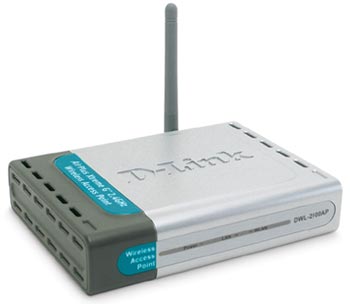
D-link DWL-2100AP Wireless Router
Scan code: LN7219
Manufacturer code: DWL-2100AP
End Of Life


Product Overview
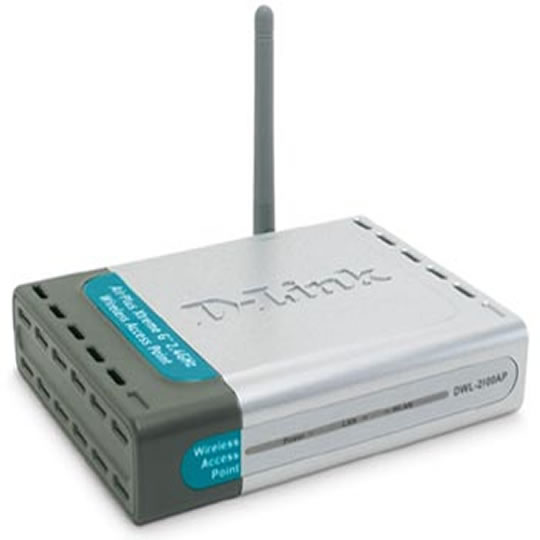
The AirPlusXtremeG DWL-2100AP is an enhanced high-performance 802.11g wireless Access Point for use indoors. This device supports wireless networking speeds of up to 108Mbps (Turbo mode), while providing seamless interoperability with existing 802.11b wireless equipment. With high data transfer rates, better security and built-in bridge function, this device is the ideal wireless solution that offers an upgrade to a fast, new technology while protecting your past investments through interoperability with your current network equipment.
Up to 108Mbps Speed on 2.4GHz Frequency Band
With transmission speeds of up to 108Mbps (Turbo mode) on the popular 2.4GHz public frequency, the DWL-2100 is an ideal solution for bandwidth intensive WLAN applications. In a typical working environment with multiple users accessing the network at the same time, the DWL-2100AP can operate at 15 times the throughput of the normal 802.11b wireless LAN equipment.
Compatible With 802.11b
802.11g's compatibility with existing wireless LAN standards means that you do not need to change your entire network to maintain connectivity. The DWL-2100AP can transmit data at up to 108Mbps when used with D-Link AirPlusXtremeG and other 802.11g products. You may sacrifice some of this speed when you mix 802.11b with this device, but you will not lose the ability to communicate.
Flexible Configuration
The DWL-2100AP can be configured to operate in any one of the 5 modes: (1) as a wireless access point, (2) a point-to-point bridge with another access point, (3) a point-to-multi-point wireless bridge, (4) a wireless client or (5) a wireless repeater. With these built-in functions, the DWL-2100AP gives you the flexibility to configure the device to meet your environment's requirements.
Easy Migration to Higher Bandwidth
By maintaining compatibility with your existing wireless network equipment, the DWL-2100AP lets you upgrade to a higher speed at the pace you want. The DWL-2100AP and other 802.11g standard devices can be gradually added to your network, while the rest of your older network remains perfectly connected.
Wi-Fi Protected Access
Enhanced security is provided with Wi-Fi Protected Access to authorize and identify users based on a secret key that changes automatically at a regular interval. Used in conjunction with a RADIUS server, WPA employs TKIP (Temporal Key Integrity Protocol) to change the temporal key every 10,000 packets. This insures much greater security than the standard WEP security, which requires the keys to be changed manually.
802.1x Authentication
The DWL-2100AP supports 802.1x authentication for protection against network intrusion. Used in conjunction with a RADIUS server, this function provides a means to verify the identity of the client before an access to the network is granted.
Pre-Shared Key
This function brings a lot of convenience (when used in conjunction with other 802.11g products) for users that do not incorporate a RADIUS server in their networks. Utilizing the Pre Shared Key mode of WPA, the DWL-2100AP gives each user a new security key every time he connects to the 802.11g network. Users only need to input their encryption information once in the configuration menu. With the DWL-2100AP, each user will automatically receive a new key every time he connects, the inconvenience of manual WEP key input is eliminated.
Embedded DHCP Server
The DWL-2100AP includes an embedded DHCP server that once enabled will automatically assign IP addresses to wireless clients. This unique feature makes the DWL-2100AP an ideal solution for quickly creating and extending a wireless local area network (WLAN) in offices or other workplaces.
Features * 802.11g 2.4GHz standard
* Up to 108Mbps (Turbo mode) high-speed transmission
* 10/100BASE-TX port for connection to Ethernet or DSL/cable modem
* Compatible with existing 802.11b wireless devices
* Built-in DHCP server for multiple user access
* 5 operation modes: AP, AP client, point-to-point bridge, point-to-multi-point bridge, repeater
* 64/128/152-bit WEP data encryption
* WPA security with 802.1x RADIUS user authentication
* Web-based configuration & management
Up to 108Mbps Speed on 2.4GHz Frequency Band
With transmission speeds of up to 108Mbps (Turbo mode) on the popular 2.4GHz public frequency, the DWL-2100 is an ideal solution for bandwidth intensive WLAN applications. In a typical working environment with multiple users accessing the network at the same time, the DWL-2100AP can operate at 15 times the throughput of the normal 802.11b wireless LAN equipment.
Compatible With 802.11b
802.11g's compatibility with existing wireless LAN standards means that you do not need to change your entire network to maintain connectivity. The DWL-2100AP can transmit data at up to 108Mbps when used with D-Link AirPlusXtremeG and other 802.11g products. You may sacrifice some of this speed when you mix 802.11b with this device, but you will not lose the ability to communicate.
Flexible Configuration
The DWL-2100AP can be configured to operate in any one of the 5 modes: (1) as a wireless access point, (2) a point-to-point bridge with another access point, (3) a point-to-multi-point wireless bridge, (4) a wireless client or (5) a wireless repeater. With these built-in functions, the DWL-2100AP gives you the flexibility to configure the device to meet your environment's requirements.
Easy Migration to Higher Bandwidth
By maintaining compatibility with your existing wireless network equipment, the DWL-2100AP lets you upgrade to a higher speed at the pace you want. The DWL-2100AP and other 802.11g standard devices can be gradually added to your network, while the rest of your older network remains perfectly connected.
Wi-Fi Protected Access
Enhanced security is provided with Wi-Fi Protected Access to authorize and identify users based on a secret key that changes automatically at a regular interval. Used in conjunction with a RADIUS server, WPA employs TKIP (Temporal Key Integrity Protocol) to change the temporal key every 10,000 packets. This insures much greater security than the standard WEP security, which requires the keys to be changed manually.
802.1x Authentication
The DWL-2100AP supports 802.1x authentication for protection against network intrusion. Used in conjunction with a RADIUS server, this function provides a means to verify the identity of the client before an access to the network is granted.
Pre-Shared Key
This function brings a lot of convenience (when used in conjunction with other 802.11g products) for users that do not incorporate a RADIUS server in their networks. Utilizing the Pre Shared Key mode of WPA, the DWL-2100AP gives each user a new security key every time he connects to the 802.11g network. Users only need to input their encryption information once in the configuration menu. With the DWL-2100AP, each user will automatically receive a new key every time he connects, the inconvenience of manual WEP key input is eliminated.
Embedded DHCP Server
The DWL-2100AP includes an embedded DHCP server that once enabled will automatically assign IP addresses to wireless clients. This unique feature makes the DWL-2100AP an ideal solution for quickly creating and extending a wireless local area network (WLAN) in offices or other workplaces.
Features * 802.11g 2.4GHz standard
* Up to 108Mbps (Turbo mode) high-speed transmission
* 10/100BASE-TX port for connection to Ethernet or DSL/cable modem
* Compatible with existing 802.11b wireless devices
* Built-in DHCP server for multiple user access
* 5 operation modes: AP, AP client, point-to-point bridge, point-to-multi-point bridge, repeater
* 64/128/152-bit WEP data encryption
* WPA security with 802.1x RADIUS user authentication
* Web-based configuration & management


